




Wie man den DSP-Sound auf einem Android-Autoradio einrichtet
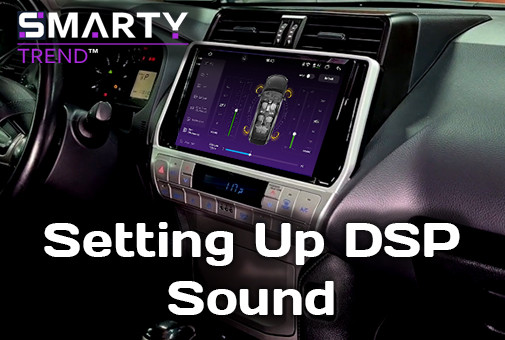
Premium-Hardware ist nur die halbe Miete. Erfahren Sie, wie Sie den integrierten DSP Ihres Android-Autoradios richtig konfigurieren – von Frequenzweichen bis zur Laufzeitkorrektur –, um das wahre Potenzial Ihres Audiosystems auszuschöpfen.
So richten Sie den DSP-Sound auf Ihrem Android-Autoradio ein: Kompletter Leitfaden 2026
Ein digitaler Signalprozessor (DSP), der in ein modernes Android-Autoradio integriert ist, gehört zu den größten Upgrades gegenüber einem Werksradio - aber nur, wenn er auch richtig konfiguriert ist. Nach dem Auspacken klingt selbst ein Premium-Gerät mit dualem DSP-Chip, 32-Band-EQ und kanalweiser Laufzeitkorrektur flach, blechern oder unausgewogen, bis es abgestimmt wird. Dieser Leitfaden führt Sie durch den gesamten Prozess in der Reihenfolge, in der ein professioneller Installateur vorgehen würde, damit Sie ein Ergebnis erzielen, das dem Potenzial der Hardware entspricht.
Dies ist kein Tutorial nach dem Motto „Dreh den Bass auf“. Es ist ein kompletter Arbeitsablauf: Gain-Staging, Trennfrequenzen, Laufzeitkorrektur und Equalization, plus die Fehler, die die Klangqualität selbst auf exzellenter Hardware ruinieren.
Was ein DSP in einem Autoradio eigentlich macht
Ein eingebauter DSP sitzt zwischen der Quelle (Radio, Bluetooth, USB, CarPlay/Android Auto) und der Verstärkerstufe. Anstatt ein einziges, gemischtes Signal an alle Lautsprecher zu senden, teilt er das Audiosignal in separate Pfade auf und ermöglicht Ihnen die Steuerung pro Kanal:
- Trennfrequenz und Flankensteilheit - welche Frequenzen an Hochtöner, Mitteltöner und Subwoofer gesendet werden.
- Laufzeitkorrektur (Time Alignment) - Verzögerung näher gelegener Lautsprecher, sodass der Schall aller Lautsprecher im selben Moment an Ihren Ohren ankommt.
- Parametrischer oder grafischer EQ (üblicherweise 31-32 Bänder bei Premium-Geräten) - Korrektur des Frequenzgangs für die Akustik des Innenraums.
- Ausgangspegel pro Kanal - Ausbalancieren von Links/Rechts und Vorne/Hinten.
- Subwoofer-Phase und Tiefpass-Punkt.
Bei Geräten wie der 2K Ultra-Premium-Linie von SMARTY Trend wird dies von einem dedizierten Audioprozessor in Kombination mit einem Hi-Fi-Verstärker (üblicherweise eine TDA7850-Klasse 4×50W Stufe) übernommen, mit dualem DSP für unabhängige vordere/hintere Zonen und einem optischen/koaxialen Digitalausgang für eine verlustfreie Verbindung zu einem externen Verstärker. Die Hardware ist nur die halbe Miete - die Einstellungen bestimmen, ob sie richtig genutzt wird.
Was Sie vor dem Start benötigen
- Einen ruhigen Parkplatz, Motor aus, Türen geschlossen.
- Ein Smartphone mit einer SPL-Meter- oder RTA-App (Echtzeitanalyse) - kostenlose Apps sind für diesen Zweck genau genug.
- Eine Auswahl an Testtracks: Rosa Rauschen, ein gesangslastiges Stück, das Sie gut kennen, und ein Bass-Sweep oder Subwoofer-Testtrack.
- Ein Maßband (für die Laufzeitkorrektur).
- 20-30 Minuten ungestörte Zeit - das DSP-Tuning ist keine Fünf-Minuten-Aufgabe.


Schritt 1: Zuerst die Gain-Struktur einstellen - vor dem EQ
Dies ist der Schritt, den die meisten Leute überspringen, und der Grund, warum viele DSP-Setups trotz einer „perfekten“ EQ-Kurve verzerrt oder verrauscht klingen.
- Stellen Sie alle EQ-Bänder auf flach (0 dB) und alle Kanalpegel gleich ein.
- Spielen Sie einen Track mit einer Lautstärke ab, die Sie als „laut, aber sauber“ empfinden - etwa 75 % Ihrer üblichen maximalen Lautstärke.
- Erhöhen Sie die Gesamtlautstärke des Autoradios, bis Sie die ersten Anzeichen von Verzerrung (Clipping, Härte) hören, und regeln Sie dann um 2-3 dB zurück.
- Erst nachdem diese Obergrenze festgelegt ist, sollten Sie die einzelnen Kanal-Gains, Frequenzweichen oder den EQ anrühren.
Wenn Sie den EQ vor der Gain-Struktur einstellen, baut jede spätere Anpassung auf einem fehlerhaften Fundament auf - Sie kompensieren dann Clipping, anstatt den Klang abzustimmen.
Schritt 2: Konfiguration der Frequenzweichen (HPF/LPF)
Frequenzweichen schützen Ihre Lautsprecher und entfernen Frequenzen, die der jeweilige Treiber nicht sauber wiedergeben kann.
Front- und Hecklautsprecher (typischerweise 2-Wege oder Koaxial):
- Setzen Sie einen Hochpassfilter (HPF) bei 80-120 Hz für Standard-Werkslautsprecher (die meisten 6.5"/6x9" Koaxiallautsprecher haben unterhalb von 80 Hz ohnehin Mühe).
- Verwenden Sie eine Flankensteilheit von 12 dB/Oktave für einen natürlichen, harmonischen Klang; wählen Sie 24 dB/Oktave, wenn Ihre Lautsprecher klein sind und Sie einen separaten Subwoofer betreiben, der die Arbeit sauber übernehmen soll.
Subwoofer:
- Setzen Sie einen Tiefpassfilter (LPF) zwischen 80-120 Hz, passend zum vorderen HPF-Punkt, sodass keine Lücke oder Überschneidung in den Mitten entsteht.
- Wenn der Bass eintönig oder dröhnend klingt, senken Sie den LPF näher an 63-80 Hz ab.
Hochtöner (falls getrennt von den Mitteltönern):
- HPF um 3-5 kHz, nach Gehör angepasst - zu niedrig und der Gesang klingt dünn/hart, zu hoch und es fehlt an Brillanz.
Das Ziel ist eine nahtlose Übergabe zwischen den Treibern - kein Einbruch oder Peak dort, wo ein Frequenzbereich endet und der nächste beginnt.
Schritt 3: Laufzeitkorrektur (Time Alignment)
Der Schall Ihres linken Türlautsprechers erreicht Ihr Ohr viel früher als der des rechten, weil Sie nicht in der Mitte des Autos sitzen. Die Laufzeitkorrektur verzögert die näher gelegenen Lautsprecher, sodass der Schall jedes Treibers gleichzeitig eintrifft. Dies schafft ein stabiles, zentriertes Klangbild (Phantomschallquelle), anstatt dass sich der Ton anfühlt, als käme er nur aus der Tür neben Ihnen.
So gehen Sie vor:
- Setzen Sie sich in Ihrer normalen Position auf den Fahrersitz.
- Messen Sie den Abstand von Ihren Ohren zu jedem Lautsprecher (Hochtöner, Mitteltöner, Subwoofer) in Zentimetern.
- Ermitteln Sie die größte Entfernung - dieser Lautsprecher erhält keine Verzögerung (0 ms).
- Berechnen Sie für jeden anderen Lautsprecher die Differenz oder geben Sie die Verzögerung ein.
Wenn Ihr Android-Betriebssystem die Eingabe von Werten direkt in Millisekunden (ms) statt in Zentimetern (cm) erfordert, verwenden Sie die akustische Standardformel, um die Pfadlängendifferenz zu berechnen:
Verzögerung (ms) = Δd (cm) ÷ 34,3
Die meisten 2K Ultra-Premium DSP-Geräte ermöglichen es Ihnen, die Entfernung direkt einzugeben, die der Prozessor dann automatisch umrechnet - dies ist die genauere und weniger fehleranfällige Methode, sofern sie auf Ihrem Gerät verfügbar ist.
Spielen Sie nach dem Einstellen der Verzögerungen einen Mono- oder Gesangstrack ab. Die Stimme sollte so klingen, als käme sie von einem einzigen Punkt in der Mitte des Armaturenbretts, und nicht zu einer Seite gezogen werden.
Schritt 4: Equalization - Den Raum korrigieren, nicht nur den Geschmack
Nachdem Gain, Frequenzweichen und Laufzeitkorrektur eingestellt sind, dient der 32-Band-EQ dazu, das zu korrigieren, was die Akustik Ihres Innenraums mit dem Klang macht - Glas, die Form des Armaturenbretts und die Sitze sorgen dafür, dass bestimmte Frequenzen verstärkt oder ausgelöscht werden.
Praktischer Ansatz:
- Spielen Sie rosa Rauschen ab und nutzen Sie eine RTA-App, um zu sehen, welche Frequenzbänder im Vergleich zu einer flachen Linie Spitzen oder Einbrüche aufweisen.
- Senken Sie schmale Spitzen ab (heben Sie Einbrüche nicht zu aggressiv an - Absenken klingt natürlicher und vermeidet Verzerrungen).
- Nehmen Sie Änderungen in kleinen Schritten vor (1-2 dB) und hören Sie nach jeder Änderung vertraute Tracks an - verlassen Sie sich nicht nur auf die RTA-Grafik.
- Vermeiden Sie die „Badewannen“-EQ-Kurve (angehobene Bässe und Höhen, abgesenkte Mitten) - das klingt bei einer 30-sekündigen Vorführung im Laden aufregend, führt aber bei einer echten Fahrt schnell zu Ermüdung des Gehörs.
Korrekturmatrix für typische Fahrzeug-Innenräume
| Frequenzbereich | Akustisches Phänomen im Auto | Empfohlene Maßnahme (DSP-Tuning) |
|---|---|---|
| 60 - 100 Hz | Innenraumresonanz, dröhnender oder schwammiger Bass. | Um 2-4 dB absenken unter Verwendung eines schmalen Q-Faktors, anstatt den Sub-Pegel zu verringern. |
| 150 - 300 Hz | Phasenauslöschung durch Reflexionen an Boden/Türen. | Leichte Anhebung (+2 bis +3 dB), um die Wärme männlicher Stimmen und den Punch der Snare wiederherzustellen. |
| 1 - 3 kHz | Unangenehme Härte auf Ohrhöhe durch Reflexionen an Windschutzscheibe und Seitenscheiben. | Sanfte Absenkung um 2-4 dB, um Ermüdung des Gehörs bei langen Fahrten zu vermeiden. |
| 10 kHz+ | Hochfrequenz-Abfall oder schriller Klang billiger Koaxial-Hochtöner. | Sanfte Shelving-Anhebung (+1 dB) für High-End-QLED-Plattformen, um „Luftigkeit“ hinzuzufügen. |
Schritt 5: Subwoofer-Pegel und Phase
Stellen Sie den Subwoofer-Pegel nach Gehör im Verhältnis zur Frontbühne ein - er sollte den Bass unterstützen, nicht den Mix dominieren. Wenn Sie den Subwoofer als separate Schallquelle heraushören können, ist er entweder zu laut oder nicht richtig laufzeitkorrigiert.
Überprüfen Sie die Phase (0°/180°), indem Sie ein basslastiges Stück anhören: Wenn der Bass im Vergleich zum stummgeschalteten Subwoofer dünn oder hohl klingt, legen Sie den Phasenschalter um - in der richtigen Einstellung sollte er voller klingen.
Schritt 6: Preset speichern und A/B-Testen
- Speichern Sie die Konfiguration als benanntes Preset (z. B. „Daily Tune“).
- Vergleichen Sie es beim selben Track mit dem Werks-Preset, um zu bestätigen, dass die Verbesserung real und nicht nur anders ist.
- Überprüfen Sie die Einstellungen nach ein paar Tagen normaler Fahrt erneut - das Ohr gewöhnt sich an den Klang, und kleine Nachbesserungen sind völlig normal.
Häufige Fehler beim DSP-Setup
- Abstimmen des EQ vor der Gain-Struktur - führt dazu, dass man Verzerrungen bekämpft, anstatt den Klang zu optimieren.
- Einstellen von Frequenzweichen nur nach Datenblatt - die tatsächliche Trennung der Lautsprecher variiert je nach Türdämmung und Gehäuse, überprüfen Sie dies immer nach Gehör.
- Komplettes Überspringen der Laufzeitkorrektur - dies ist der effektivste Schritt für das Klangbild und wird am häufigsten übersprungen, weil man dafür messen muss.
- Zu viel Anheben statt Absenken - das Anheben von Problemfrequenzen erhöht das Grundrauschen und birgt das Risiko von Clipping; Absenken ist sicherer und klingt meist natürlicher.
- Kopieren der EQ-Kurve von jemand anderem - jeder Innenraum, jeder Lautsprechersatz und jede Hörpräferenz ist anders; eine für ein bestimmtes Auto und eine Person optimierte Kurve lässt sich selten eins zu eins übertragen.
Häufig gestellte Fragen (FAQ)
Benötige ich externes Equipment, um einen Auto-DSP abzustimmen?
Nein - eine Smartphone-RTA-App und Testtracks reichen für eine sehr solide Abstimmung zu Hause völlig aus. Professionelle Installateure nutzen kalibrierte Mikrofone für ein präziseres Ergebnis, aber der obige Ablauf bringt den Großteil der Verbesserung auch ohne zusätzliche Hardware.
Kann ich die Laufzeitkorrektur auch ohne Subwoofer nutzen?
Ja. Die Laufzeitkorrektur funktioniert bei jedem Multi-Lautsprecher-Setup - vorne/hinten oder links/rechts - und verbessert das Klangbild selbst mit werkseitigen Türlautsprechern.
Kann das DSP-Tuning meine Lautsprecher beschädigen?
Nein, solange die Gain-Struktur zuerst richtig eingestellt wurde (Schritt 1). Das größte Beschädigungsrisiko beim DSP-Tuning entsteht durch das Anheben von Pegeln bis ins Clipping, nicht durch die EQ- oder Frequenzweichen-Einstellungen selbst.
Wie oft sollte ich neu einmessen?
Überprüfen Sie die Einstellungen nach jedem Austausch von Lautsprechern oder Verstärkern. Zudem lohnt sich ein kurzes Gegenhören alle paar Monate, wenn sich Ihr Gehör anpasst - eine korrekt gemessene Laufzeitkorrektur und Frequenzweichen-Konfiguration muss jedoch selten neu gemacht werden.
Was ist der Unterschied zwischen einem Single-DSP und einem Dual-DSP-Setup?
Eine Dual-DSP-Konfiguration verarbeitet die vorderen und hinteren Kanäle unabhängig voneinander. Das ermöglicht separate EQ-, Frequenzweichen- und Laufzeitkorrekturen pro Zone statt einer gemeinsamen Einstellung für das gesamte Auto - besonders nützlich für Systeme, bei denen sich vordere und hintere Lautsprecher in Größe oder Einbauposition unterscheiden.
Suchen Sie ein Autoradio mit integriertem dualem DSP-Prozessor?
Unsere Geräte bieten einen 32-Band-EQ sowie digitale optische/koaxiale Ausgänge für eine unvergleichliche akustische Klarheit.
SMARTY Trend Ultra-Premium-Geräte durchsuchen

| Operationssystem: | Android 14 |
| Anzeige: | 10.4 inches QLED 2.5D |
| Auflösung: | 2K (2000x1200 px) / HD (1280x720 px) |
| Prozessor: | 2.7 GHz Octa-core (UIS7870CS) |
| RAM + SSD: | 4+64 / 6+128 / 8+128 / 8+256 / 12+256 Gb |
| Auto Link: | Drahtlos Apple CarPlay Android Auto |
| Geschenk: | DVR mit ADAS / TPMS / HD-Rückfahrkamera |
| Operationssystem: | Android 14 |
| Anzeige: | 10.4 inches QLED 2.5D |
| Auflösung: | 2K (2000x1200 px) / HD (1280x720 px) |
| Prozessor: | 2.7 GHz Octa-core (UIS7870CS) |
| RAM + SSD: | 4+64 / 6+128 / 8+128 / 8+256 / 12+256 Gb |
| Auto Link: | Drahtlos Apple CarPlay Android Auto |
| Geschenk: | DVR mit ADAS / TPMS / HD-Rückfahrkamera |
| Operationssystem: | Android 14 |
| Anzeige: | 10.4 inches QLED 2.5D |
| Auflösung: | 2K (2000x1200 px) / HD (1280x720 px) |
| Prozessor: | 2.7 GHz Octa-core (UIS7870CS) |
| RAM + SSD: | 4+64 / 6+128 / 8+128 / 8+256 / 12+256 Gb |
| Auto Link: | Drahtlos Apple CarPlay Android Auto |
| Geschenk: | DVR mit ADAS / TPMS / HD-Rückfahrkamera |
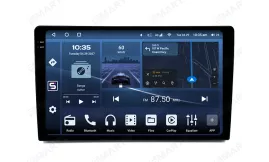
| Operationssystem: | Android 14 |
| Anzeige: | 10.4 inches QLED 2.5D |
| Auflösung: | 2K (2000x1200 px) / HD (1280x720 px) |
| Prozessor: | 2.7 GHz Octa-core (UIS7870CS) |
| RAM + SSD: | 4+64 / 6+128 / 8+128 / 8+256 / 12+256 Gb |
| Auto Link: | Drahtlos Apple CarPlay Android Auto |
| Geschenk: | DVR mit ADAS / TPMS / HD-Rückfahrkamera |
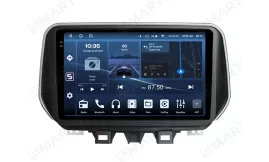
| Operationssystem: | Android 14 |
| Anzeige: | 9.5 inches QLED 2.5D |
| Auflösung: | 2K (2000x1200 px) / HD (1280x720 px) |
| Prozessor: | 2.7 GHz Octa-core (UIS7870CS) |
| RAM + SSD: | 4+64 / 6+128 / 8+128 / 8+256 / 12+256 Gb |
| Auto Link: | Drahtlos Apple CarPlay Android Auto |
| Geschenk: | DVR mit ADAS / TPMS / HD-Rückfahrkamera |
Android-Autoradio-Prozessoren-Leitfaden 2026: Snapdragon vs. UIS...
CanBus am Android-Autoradio einrichten: Anleitung

Android Head Unit vs. Werksradio: Lohnt sich das Upgrade im Jahr 2026?

Die besten Android Head Units 2026: Der ultimative Ratgeber für das...

 DE
DE EN
EN
 ES
ES
 FR
FR
 IT
IT
 NL
NL
 PL
PL
 PT
PT
 RU
RU