

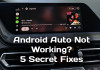


What to do if your new car stereo doesn't work right away

What are the first steps to take if you are unable to install the head unit on the first connection attempt?
Congratulations on purchasing a new head unit for your car! This is always an exciting moment, with the anticipation of improved sound, new features, and a modern design.
However, sometimes after installation—whether you did it yourself or hired a professional service—something goes wrong: there's no sound, the steering wheel controls don't work, or the stereo simply won't turn on.
It's Important: The first thing we want to tell you is: this is a completely normal situation! You shouldn't immediately assume the product is defective and demand a refund. Installing a modern head unit is not always "plug and play," especially in technically complex vehicles. We are ready to help!

Why Do Installation Issues Occur?
Even experienced installers occasionally run into difficulties. The reasons can vary:
-
Vehicle Specifics: Different trims, the presence of factory amplifiers, and peculiarities of the CAN bus (digital data communication network).
-
Minor Wiring Errors: A missed or mixed-up wire, or an improperly connected CAN adapter.
-
Need for Additional Setup: After physical connection, software "programming" or feature learning may be required.
.webp)
Examples of Common Problems and Their Solutions
Here are a few typical scenarios encountered by both regular customers and professionals, which are easily resolved with our assistance:
| Problem | What Customers Usually Say | Likely Cause (and Our Solution) |
| No Sound |
"The stereo is on, the screen is lit, but the speakers are silent!" |
The factory amplifier isn't "woken up" (activated). In cars equipped with a factory amplifier (e.g., Bose, Harman/Kardon), it must be activated via a special wire (AMP-control) or through a CAN adapter/decoder. We will help you find the right setting or check the connection. |
| Steering Wheel Controls Don't Work |
"The volume and track skipping buttons don't respond!" |
1. The CAN adapter is connected incorrectly. 2. Manual learning is required. Even with CAN, sometimes you need to go into the device settings ("Steering Wheel Button Learning" or a similar menu item) and "program" each button manually. We will guide you through the step-by-step process. |
| Stereo Won't Turn On/Doesn't Save Settings |
"Everything resets when I turn off the ignition, or it won't turn on at all!" |
Power wires are reversed, or if the device receives ACC power from the CANBUS adapter, then it is either not connected or connected incorrectly.. Most cars have two "positives": a constant (+12V) for memory (yellow wire) and a switched (ACC) for ignition activation (red wire). If they are reversed or one is not connected, these problems occur. We will help you check the wiring diagram. |
| No Image from the Backup Camera |
"The camera is connected, but the screen is black or shows an error!" |
The "Reverse" signal is not reaching the unit. To activate the image when reverse gear is engaged, the stereo needs a control signal (+12V) from the "Reverse" wire (often pink or brown) from the main connector or from the CANBUS ADAPTER. Proper power supply to the camera itself is also crucial. We'll verify that all signals are being transmitted correctly. |
.webp)
Our Support — Your First Step
Don't rush to uninstall the device and process a return! In 9 out of 10 cases, the problem lies in minor connection details or settings, not in the head unit's malfunction.
Important Note: Due to the increasing complexity of car electronics, even professionals with many years of experience may encounter unexpected nuances in a new model or trim level. Installing a head unit today is not just physical work, but also software configuration. We work with these devices daily and know all the "hidden snags."
-
Contact Us: Describe in detail exactly what isn't working (e.g., "No sound, car is a 2015 Toyota Camry, JBL trim").
-
Send Photos: Pictures of the back of the stereo with connected wires or photos of the CAN-Bus settings in the device menu will significantly speed up the diagnosis.
-
Follow Our Instructions: We will guide you or your installer step-by-step through the checking and troubleshooting process.
We value our customers and our reputation. Let us use our expertise to turn your "problem" into a successful installation. In most cases, the solution takes only 5-15 minutes of remote consultation!
Your new head unit is waiting for its moment to shine! Just give us a chance to help it light up.
Ready to contact us and solve the problem?
 EN
EN DE
DE
 ES
ES
 FR
FR
 IT
IT
 NL
NL
 PL
PL
 PT
PT
 RU
RU