



Wireless CarPlay & Android Auto: How to Upgrade Your Car's Multimedia Without Changing the Factory Monitor
A modern car doesn't become obsolete when the engine wears out, but when its multimedia system stops supporting new smartphones and modern features. If your premium or mid-range vehicle (manufactured between 2010 and 2023) lacks wireless CarPlay or Android Auto — this is the solution for you!
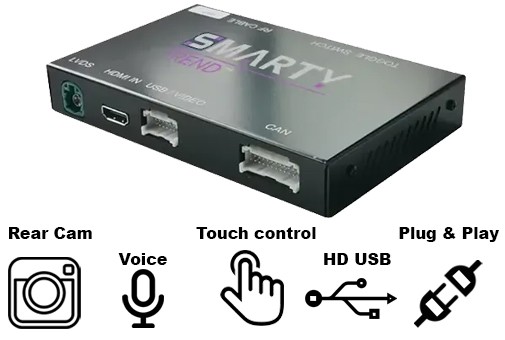
Interface modules (CarPlay Interface Boxes) have become the "gold standard" for retrofitting. Let’s explore why this is a better alternative to replacing the entire head unit and how it works.
What is a CarPlay / Android Auto Interface Box?
It is a hidden module that integrates seamlessly into the car's factory system. It acts as a "bridge" between your smartphone and the original screen. Unlike cheap USB adapters (dongles) that only work if the car already has wired CarPlay, this box is installed inside the dashboard and adds the function to vehicles that didn't have it from the factory.
Key Features:
-
Total Wireless Freedom: Your phone connects automatically via Bluetooth/Wi-Fi (5.8 GHz) as soon as you start the engine.
-
Preserve the Original System: 100% of the factory functionality (car menus, vehicle settings, trip computer) remains fully accessible.
-
Full App Support: Access Waze, Google Maps, Spotify, Apple Music, Telegram, WhatsApp, and voice assistants (Siri/Google) directly on your dashboard.
Solution Comparison: Smarty-Trend Module vs. Head Unit Replacement vs. USB Dongles
| Feature | Interface Module (Box) | Android Head Unit | USB Adapter (Dongle) |
| Interior Aesthetics | Completely Original | Modified (New Screen) | Visible Wires in USB Port |
| Installation | Hidden (Plug & Play) | Full Dashboard Disassembly | Plug into USB Port |
| Image Quality | Original (HD) | Depends on Device Model | Only if Factory CarPlay exists |
| Stability | High (Hardware Integration) | High | Moderate (Frequent Crashes) |
| Target Audience | For those who value factory style | For those who want a larger screen | Only for new cars with wired CP |
Universality: Which Cars are Compatible?
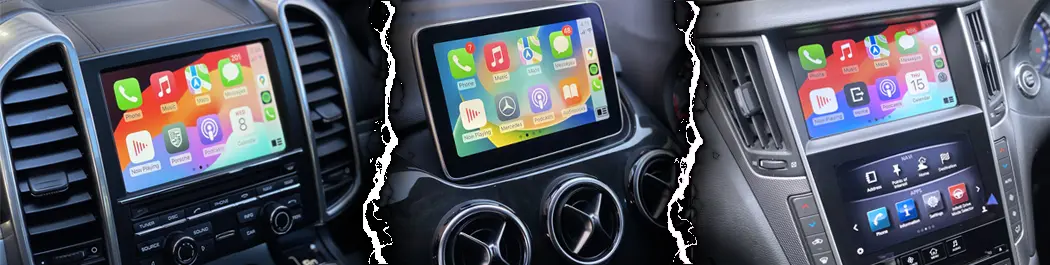
Thanks to the solutions provided by Smarty-Trend and the technology bases of industry leaders, interface boxes are available for almost all popular brands:
-
European Brands: Mercedes-Benz (NTG 4.5/5.0/5.5/MBUX), BMW (CIC, NBT, EVO, ID7), Audi (MMI 3G/MIB), Porsche (PCM), Land Rover / Jaguar.
-
Japanese & Korean Brands: Lexus, Toyota, Infiniti, Mazda, Hyundai, Kia (support for systems with original monitors).
-
American Brands: Jeep, Ford (Sync), Cadillac.
Note: The system is selected individually for each specific model and factory head unit version, ensuring perfect operation of the CAN-bus and control buttons.
5 Reasons to Choose an Interface Box for Your Car
1. Control via Factory Interfaces (Joystick & Steering Wheel)
There is no need to reach for the screen. The system supports factory controllers: BMW iDrive wheels, Mercedes joysticks, Lexus touchpads, and steering wheel buttons.
2. Support for Factory and Aftermarket Cameras
The module not only correctly displays the factory rearview camera with dynamic lines but also allows for the easy addition of a front-view camera or a 360° system if your car wasn't originally equipped with them.
3. Hi-Fi Sound Without Compromise
Audio is transmitted via the factory AUX or the original Bluetooth channel, preserving all the settings of your premium audio system (Bose, Harman/Kardon, Burmester). The modules feature a built-in digital equalizer (DSP) for fine-tuning.
4. MirrorLink (AirPlay) Function
Beyond CarPlay, these boxes support screen mirroring. You can play videos from your gallery or use any app that isn't standardly supported by the CarPlay interface.
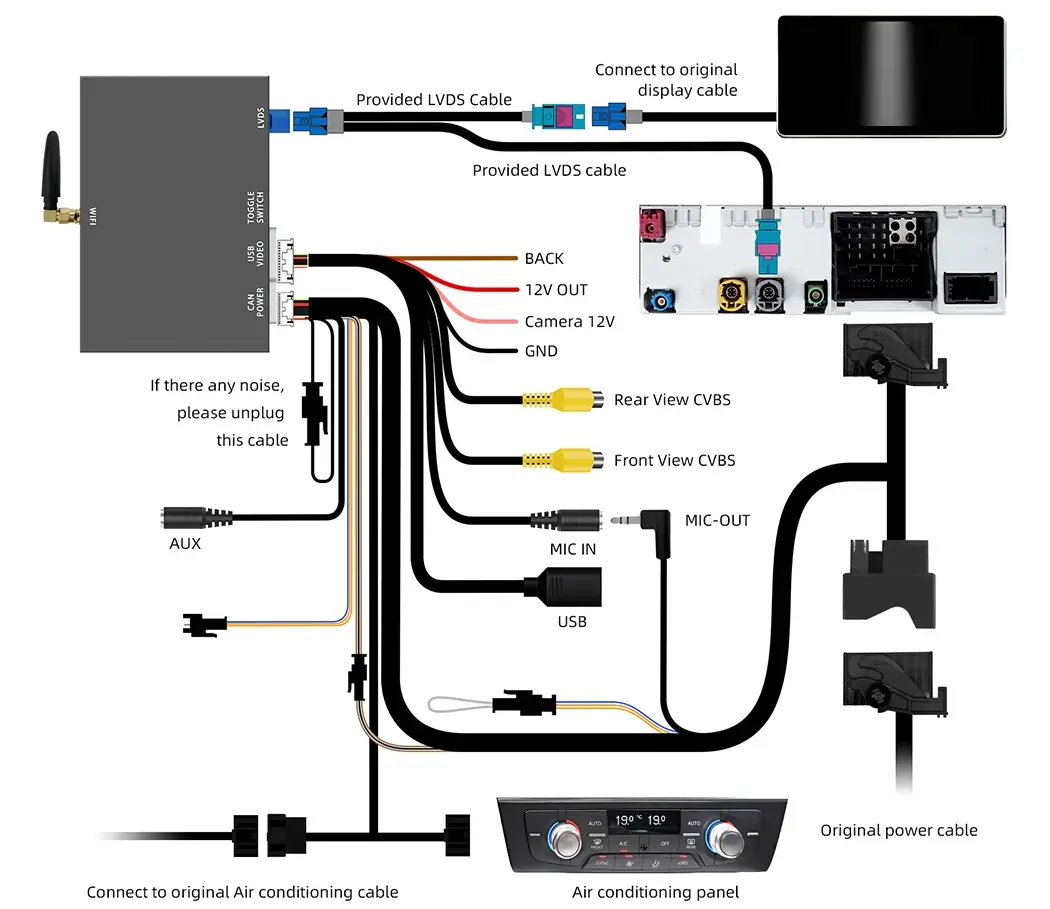
5. Safe Installation (Pin-to-Pin)
No soldering or wire cutting required. All connectors match the factory ones. This is critical for cars under warranty and for owners who do not want to compromise the integrity of the vehicle's wiring.
How Does It Work? (User Experience)
-
You get into the car.
-
Your smartphone automatically connects to the module.
-
The familiar CarPlay or Android Auto interface appears on the screen.
-
If you need to access vehicle settings (e.g., climate control or lighting), simply hold a button on the steering wheel/console to instantly switch back to the original menu.
Where to Buy and How to Choose?
Choosing the right device is the key to stable operation. The Smarty-trend.com website features the best interface box models, tested for compatibility with various vehicle firmwares.
Invest in comfort today — your car deserves the best software!
To find the right device for your car model, contact our specialists or use the search-by-brand tool on our website.
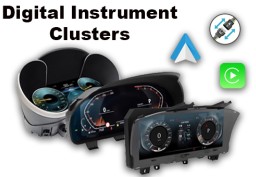
Digital Instrument Clusters by SMARTY Trend: The Ultimate Virtual...

Smarty Trend: Best Android Head Unit with CarPlay & Android Auto

The Evolution of Comfort: How to Choose a Premium Android System...

Best Android Head Units 2026: Top Car Stereo Upgrade Guide

Exploring Navigation Capabilities of SMARTY Trend Android Head Unit
 EN
EN DE
DE
 ES
ES
 FR
FR
 IT
IT
 NL
NL
 PL
PL
 PT
PT
 RU
RU