


CarPlay vs Android Auto in 2026: Which One to Choose For Your Phone - Expert Review
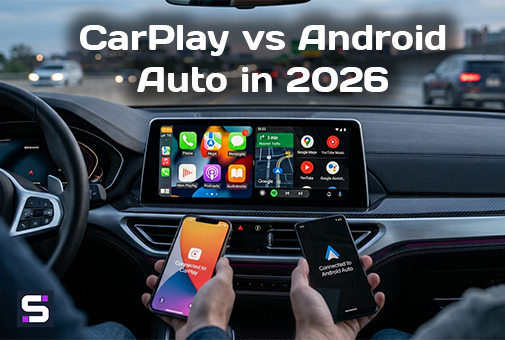
Apple CarPlay vs. Android Auto in 2026: Which system is the ultimate choice for your smartphone? Smarty Trend installation engineers break down connectivity, app ecosystems, and hidden limitations to help you make the perfect choice.
Choosing a car interface today is more than just picking a layout for your maps. It is about seamless integration between your smartphone and your vehicle's digital ecosystem. In this material, Smarty Trend installation engineers break down the strengths, hidden limitations, and technical nuances of Apple CarPlay and Android Auto as of 2026.
In Brief For Those in a Hurry:
If you use an iPhone, your only ecosystem is Apple CarPlay. If your daily driver is an Android smartphone, you need Android Auto. The real choice comes down to hardware: modern premium Android head units by Smarty Trend powered by high-tier Qualcomm Snapdragon chipsets support both protocols simultaneously. Therefore, if you have a multi-phone household or plan to switch devices in the future, you won't need to replace your head unit.
About the Author
This material has been prepared by the technical experts at Smarty Trend. Since 2010, we have specialized in the development, selection, and installation of factory-style Android head units for over 48 car brands worldwide. Dealing daily with CAN-bus integration, DSP audio tuning, and smartphone pairing, we have accumulated a deep practical knowledge base. Our experience comes from real-world customer use cases, not dry marketing brochures.
Complete Comparison Table: CarPlay vs Android Auto (2026 Comprehensive Update)
| Criterion | Apple CarPlay | Google Android Auto |
|---|---|---|
| Compatible Phones | iPhone 5 and newer (iOS 7+) | Android 8.0 (Oreo) and newer |
| Wireless Connection | Available starting from iPhone 8 / iOS 9+ on supported head units (Wi-Fi 5 GHz + Bluetooth) | Available on most Android smartphones (2018+ models) running Android 11+ |
| Voice Assistant | Siri (strictly fixed to system buttons) | Google Assistant (third-party assistants cannot be mapped to the steering wheel) |
| Default Navigation | Apple Maps (can be switched to Google Maps, Waze, etc.) | Google Maps (can be switched to Waze, Sygic, etc.) |
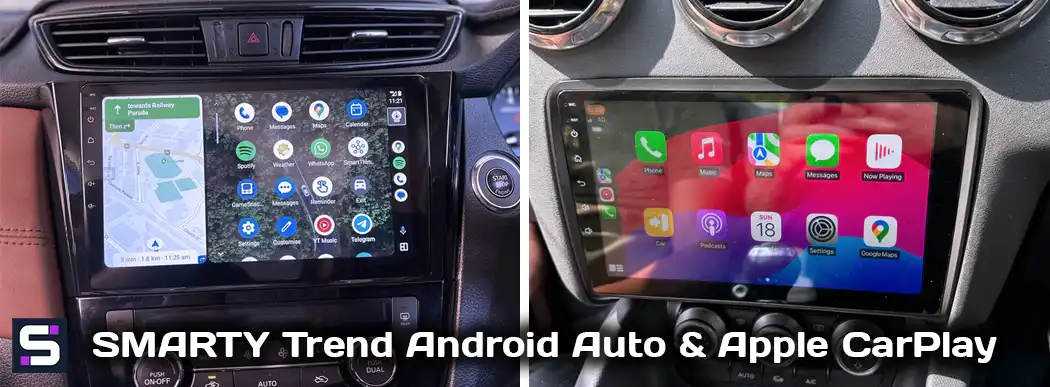
| UI Customization | Limited customization, fixed icon grid; dashboard widgets available depending on head unit firmware | More flexible, features "Coolwalk" multi-window design (dynamic layout based on screen resolution) |
| Third-Party App Support | Via App Store; strict review process, limited categories approved by Apple | Via Google Play; wider selection due to Android's open nature (includes casual games/video when parked) |
| Offline Functionality (No Internet) | Basic features work (phone calls, local device music playback) | Identical basic features, but navigation systems are heavily cloud-dependent |
| Head Unit Hardware Requirements | Requires a separate certified hardware chip/license from Apple built into the head unit | Software-based data streaming protocol, usually does not require a standalone license chip |
1. Smartphone Compatibility: Strict Ecosystem Boundaries
This is the first thing to understand: CarPlay and Android Auto do not compete for the same user at the exact moment of a hardware purchase - they are rigidly locked into their ecosystems. An iPhone works only with CarPlay. Installing Android Auto on an iOS device is impossible at the OS level. Conversely, an Android smartphone works only with Android Auto.
Our team highlights a key point: AutoPC is the official regional dealer for Smarty Trend multimedia systems, meaning you get fully adapted devices straight out of the box. The modern architecture of our multimedia systems (running optimized Android 12 or 13 builds) includes hardware and software decoders for both standards. The head unit acts as a universal receiver: no matter what phone is inside the cabin, the system will automatically deploy the correct interface.
2. Wireless Connection: Stability and Power Consumption
Both protocols utilize a hybrid connection method: Bluetooth handles the initial discovery and handshake procedure, while the high-bandwidth video feed and audio data stream over Wi-Fi (using 2.4 GHz / 5 GHz bands).
- Apple CarPlay: Shows great consistency due to uniform hardware standards across iPhones. However, our installation team notes that the wireless Wi-Fi handshake sequence can cause a slight delay in reconnection right after starting the vehicle's engine compared to a standard wired connection.
- Android Auto: Due to massive market fragmentation (different background power-saving policies implemented by Samsung, Xiaomi, or Huawei), the wireless link can occasionally drop if the phone's operating system decides to sleep background Wi-Fi modules.
Smarty Trend Engineering Tip: If stability is your absolute priority (e.g., precise GPS navigation during cross-country road trips), a wired connection using a high-quality OEM cable remains the safest option. This is a baseline physical property of high-bitrate real-time video streaming, not a flaw of either system.
3. App Ecosystem and Moderation Policies
The difference in approaches to driver safety and content curation directly affects what you see on your dashboard screen:
CarPlay follows App Store rules. Only strictly approved app categories are allowed: navigation, music streaming, podcasts, messengers, and EV charging software (added in recent years). While the list is short, these apps go through strict safety verification to prevent driver distraction.
Android Auto has historically maintained similar safety boundaries. However, Google expanded the approved app categories significantly, allowing passenger video apps, media streaming, and even casual dashboard games while the vehicle is parked.
For 95% of drivers, both platforms fully cover the vital trinity: navigation (Google Maps, Waze, Apple Maps), media (Spotify, Apple Music), and communication (WhatsApp, Telegram handled safely via voice transcription).
4. Hidden Limitations of Each Platform
Apple CarPlay Limitations:
- Strict lock-in to Siri. The physical steering wheel voice button cannot be mapped to launch alternative voice control systems.
- Dashboard widget layouts depend heavily on the software environment. Even with iOS updates, proper widget rendering requires matching firmware updates on your head unit side.
Android Auto Limitations:
- Google Assistant is mandatory for steering wheel control integrations; third-party voice AI systems cannot hook into the system keys.
- The modern Coolwalk split-screen design (introduced post-2023) might require a direct head unit firmware flash to scale correctly on unique wide or vertical aftermarket screens. Always check for current software updates during installation.
5. Checklist: Which System Fits Your Needs?
- You use an iPhone: You need a head unit with CarPlay support. Clarify whether it supports a wireless module or only wired connectivity, as this affects the device's pricing.
- You use an Android device: You need Android Auto. Verify your phone's Android version (Android 8.0+ minimum), especially if you are running an older budget smartphone.
- Multi-phone household (iPhone + Android): Get a head unit featuring simultaneous Dual-protocol support. This is the baseline standard for middle-tier and premium Android 12/13 head units, meaning the extra cost is virtually non-existent.
- High-rotation vehicles (Taxi, carsharing, business fleets): Universal compatibility saves time, eliminating the need to explain why a passenger's device "refuses to sync".
Frequently Asked Questions (FAQ)
Can I connect both CarPlay and Android Auto to a single head unit at the same time?
Yes, the underlying hardware supports both standards. However, only one interface can occupy the screen at any given moment. The head unit identifies which device is active and launches the appropriate protocol stream.
Does Android Auto or CarPlay respond faster to voice commands?
The difference is negligible. Processing latency depends almost entirely on your cellular data bandwidth and current server load on Apple/Google cloud systems, rather than the integration protocol itself.
Do I need to purchase a CarPlay license separately when ordering a head unit?
Yes, official CarPlay support requires dedicated certification and authentication hardware chips from Apple. Because of this, head units that include licensed CarPlay/Android Auto interfaces carry a slightly higher manufacturing cost, which should be reviewed in the model specifications prior to purchase.
What should I do if wireless CarPlay or Android Auto disconnects while driving?
The most common culprits are aggressive background battery-saver management on your smartphone or localized 2.4 GHz Wi-Fi interference inside the cabin. To diagnose the root cause, run a test via an official USB cable. If the wired connection remains solid, the issue lies within your radio environment or phone settings, not the head unit itself.
Related Articles From Smarty Trend
To squeeze the maximum performance out of your new multimedia system, we recommend checking out our practical guides:
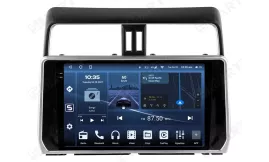

| Operation system: | Android 14 |
| Display: | 10.4 inches QLED 2.5D |
| Resolution: | 2K (2000x1200 px) / HD (1280x720 px) |
| Processor: | 2.7 GHz Octa-core (UIS7870CS) |
| RAM + SSD: | 4+64 / 6+128 / 8+128 / 8+256 / 12+256 Gb |
| Car link: | Wireless Apple CarPlay & Android Auto |
| Free gift: | DVR with ADAS / TPMS / HD Rear Camera |
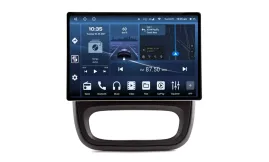
| Operation system: | Android 15 V |
| Display: | 12.5 inches QLED |
| Resolution: | 2K (1920x1200 px) |
| Processor: | 2.0 / 1.6 Ghz Octa-core (UIS7862 / 8581A) |
| RAM + SSD: | 4+64 / 6+128 / 8+128 / 8+256 Gb |
| Car link: | Wireless Apple CarPlay & Android Auto |
| Free gift: | DVR with ADAS / TPMS / HD Rear Camera |
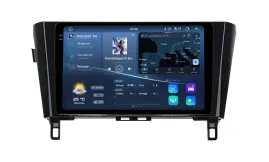
| Operation system: | Android 14 |
| Display: | 10.4 inches QLED 2.5D |
| Resolution: | 2K (2000x1200 px) / HD (1280x720 px) |
| Processor: | 2.7 GHz Octa-core (UIS7870CS) |
| RAM + SSD: | 4+64 / 6+128 / 8+128 / 8+256 / 12+256 Gb |
| Car link: | Wireless Apple CarPlay & Android Auto |
| Free gift: | DVR with ADAS / TPMS / HD Rear Camera |
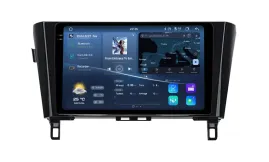
| Operation system: | Android 14 |
| Display: | 10.4 inches QLED 2.5D |
| Resolution: | 2K (2000x1200 px) / HD (1280x720 px) |
| Processor: | 2.7 GHz Octa-core (UIS7870CS) |
| RAM + SSD: | 4+64 / 6+128 / 8+128 / 8+256 / 12+256 Gb |
| Car link: | Wireless Apple CarPlay & Android Auto |
| Free gift: | DVR with ADAS / TPMS / HD Rear Camera |

| Operation system: | Android 13 |
| Display: | 10.25 inches IPS |
| Resolution: | Full HD Ultra-wide (1920x720 px) |
| Processor: | 2.8 GHz Octa-Core (Snapdragon 662/685) |
| RAM + SSD: | 4+64 / 8+128 / 8+256 Gb |
| Car link: | Wireless Apple CarPlay & Android Auto |
| Free gift: | DVR with ADAS / TPMS / HD Rear Camera |
How to Set Up DSP Sound on Your Android Head Unit
Android Head Unit Processors Guide 2026: Snapdragon vs. UIS Full...

How to Set Up CanBus on Android Car Radio: Step-by-Step

Smarty Trend: Best Android Head Unit with CarPlay & Android Auto
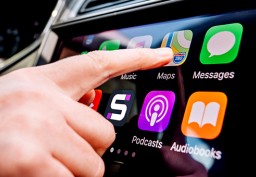
Enhancing Your Drive: The Advantages of Apple CarPlay and Android...
 EN
EN DE
DE
 ES
ES
 FR
FR
 IT
IT
 NL
NL
 PL
PL
 PT
PT
 RU
RU
 WhatsApp