



Android-Radio Einbau für Nissan X-Trail T32 und Qashqai J11
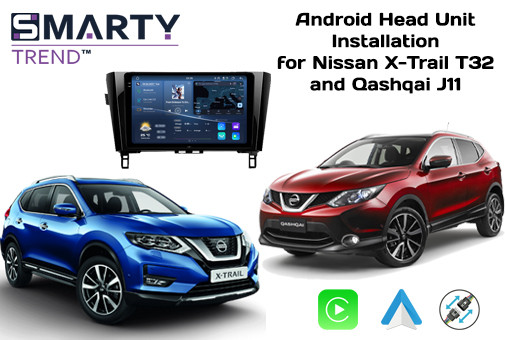
Erfahren Sie, wie Sie ein Premium Android Autoradio von Smarty Trend in den Nissan X-Trail T32 und Qashqai J11 einbauen. Diese Anleitung zeigt Ihnen alle Vorteile des Upgrades, einschließlich der Beibehaltung aller Werksfunktionen und des 360-Grad-Kamerasystems.
Android-Autoradio Einbau in Nissan X-Trail T32 (2014-2021) und Nissan Qashqai J11 (2013-2021): Professionelle Anleitung mit Beibehaltung der 360°-Rundumsicht und des Bose-Systems
Das werkseitige Multimediasystem Nissan Connect in den Crossovern Nissan X-Trail (Modell T32) und Nissan Qashqai (Modell J11) entspricht längst nicht mehr den modernen Anforderungen. Die langsame Reaktion des resistiven Bildschirms, das Fehlen einer vollwertigen Unterstützung für Navigationssysteme mit Echtzeit-Stauanzeige und Probleme bei der Integration moderner Smartphones zwingen Besitzer dazu, nach alternativen Lösungen zu suchen.
Der Einbau eines Premium-Android-Autoradios von SMARTY Trend ist ein technologisches Upgrade des Fahrzeugs auf das Niveau von Flaggschiff-Modellen. In dieser Anleitung, die auf langjähriger technischer Erfahrung basiert, analysieren wir im Detail den Prozess der Auswahl, Demontage und Feinabstimmung des Multimediasystems unter Beibehaltung aller werkseitigen Systeme: von den Lenkradtasten bis zur 360°-Rundumsicht und dem Premium-Sound von Bose.
Visuelle Transformation des Interieurs
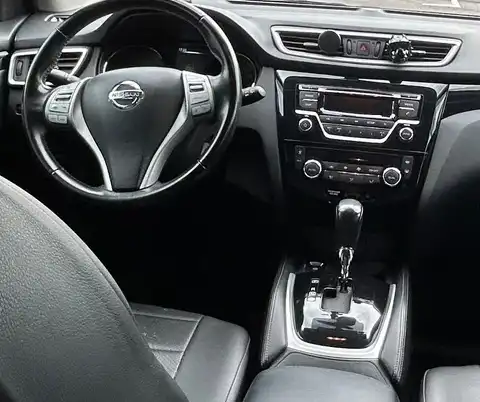
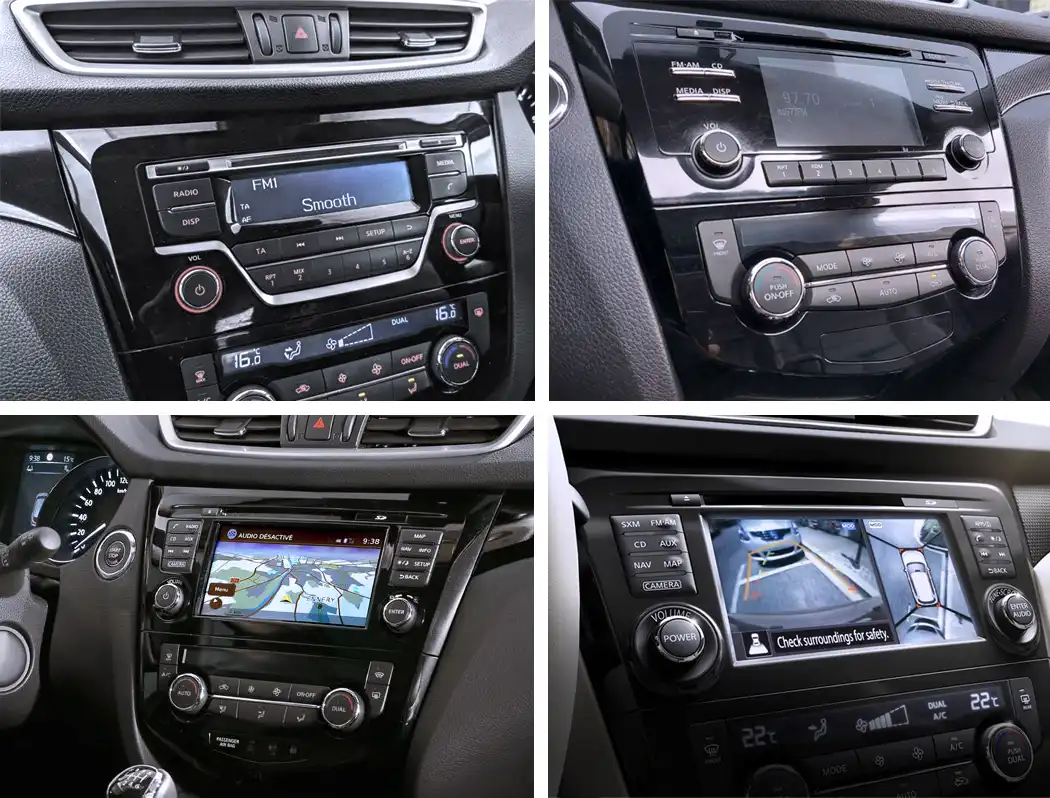
Fahrzeuginnenraum mit dem werkseitigen Nissan Connect Autoradio (Vor dem Einbau)
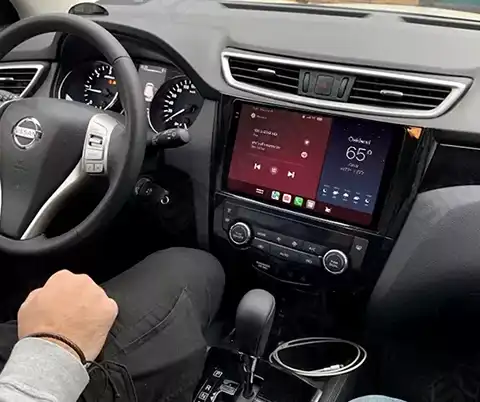
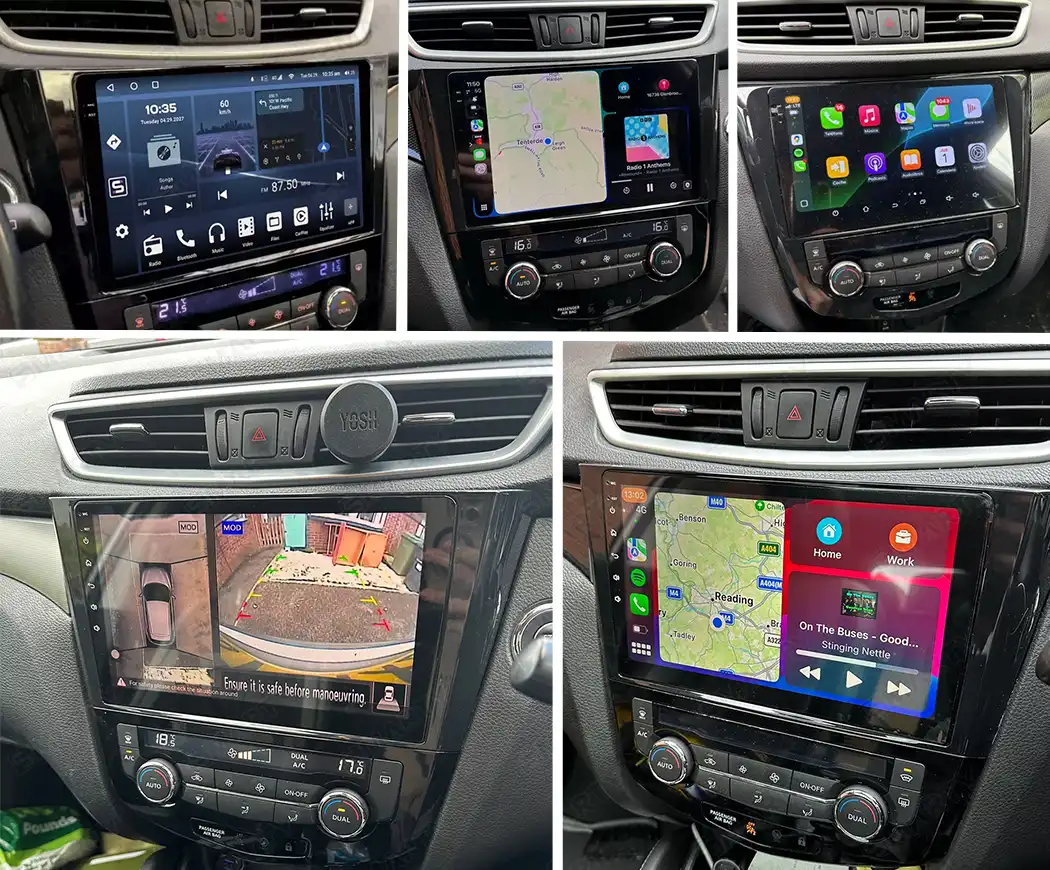
Modernes Erscheinungsbild der Mittelkonsole mit dem installierten SMARTY Trend Autoradio (Nach dem Einbau)
1. Besonderheiten der Nissan-Ausstattungen: Was Sie vor dem Einbau wissen müssen
Je nach Baujahr und Markt wurden der Nissan X-Trail T32 und der Qashqai J11 mit drei Arten von Audiosystemen ausgestattet. Fehler bei der Auswahl der Verkabelung können dazu führen, dass kein Ton ausgegeben wird oder die Kameras nicht funktionieren. Gemäß den Spezifikationen von SMARTY Trend werden alle Fahrzeuge in drei Kategorien unterteilt:
- Basisausstattung (Visia / XE): Modelle ohne werkseitigen Farbbildschirm (einfaches Radio mit Monochrom-Display oder Bluetooth-Radio). Diese Konfiguration verwendet keinen digitalen CAN-Bus zur Audiosteuerung. Der Anschluss des SMARTY Trend Autoradios erfolgt direkt über einen Standard-ISO-Adapter.
- Mittlere/Maximale Ausstattung mit Nissan Connect System (Acenta / Tekna / SE / LE): Fahrzeuge mit werksseitigem 7-Zoll-Bildschirm, Navigation und originalem 360°-Rundumsichtsystem (4 Kameras). Hier ist ein spezieller CAN-Bus-Block (Decoder) zwingend erforderlich, der die digitalen Signale des Fahrzeugs in für das Android-Betriebssystem verständliche Befehle umwandelt.
- Premium-Audiosystem Bose: Top-Versionen, die mit einem zusätzlichen Subwoofer im Kofferraum (innerhalb des Reserverads) und einem analog-digitalen Audioverstärker unter dem Sitz ausgestattet sind. Beim Einbau eines Drittanbieter-Autoradios ist es von entscheidender Bedeutung, das Steuerkabel AMP_CONT (normalerweise ein blau-weißes Kabel im Stecker) korrekt zu aktivieren, welches ein +12V-Signal zum Starten des Bose-Verstärkers liefert, andernfalls bleibt es in den Lautsprechern völlig stumm.
2. ARCHITEKTUR UND HARDWARE-PLATTFORM VON SMARTY TREND
Um einen stabilen Betrieb von anspruchsvollen Navigationskarten, Streaming-Diensten und dem Split-Screen-Modus zu gewährleisten, nutzen SMARTY Trend Geräte eine industrielle Komponentenbasis:
- Zentralprozessor (CPU): 8-Kern-Chip UIS7870SC (Octa-Core, 2.7 GHz), gefertigt im 12-nm-Verfahren. Er sorgt für den sofortigen Start von Anwendungen und eine absolut flüssige Benutzeroberfläche.
- Display: Kontrastreiche QLED/IPS-Matrix mit HD-Auflösung (1280x720) oder 2K-Auflösung (2000x1200). Der kapazitive Touchscreen mit gehärtetem 2.5D-Glas ist kratzfest und verblasst nicht im Sonnenlicht.
- Audiopfad (DSP): Integrierter digitaler Soundprozessor auf Basis des Rohm BU32107 Chips. Für die Leistung und Reinheit des Analogsignals ist der Hi-Fi-Verstärker TDA7851 (Ausgangsleistung 4x50 W) verantwortlich. Für den Aufbau eines individuellen Soundsystems stehen ein optischer Ausgang Toslink (SPDIF) sowie RCA-Line-Ausgänge mit einer Spannung von 4V zur Verfügung.
3. Schritt-für-Schritt-Prozess zur Demontage des Werkssystems
Bereiten Sie für ein sicheres Arbeiten ein Set aus Kunststoffhebeln zur Demontage des Innenraums sowie einen Kreuzschlitzschraubendreher (PH2) vor. Es wird empfohlen, vor Beginn der Arbeiten den Minuspol der Batterie abzuklemmen.
- Ausbau der rechten Zierblende: Öffnen Sie die Beifahrertür. Hebeln Sie mit einem Kunststoff-Demontagewerkzeug die Unterkante der langen Leder- (oder Kunststoff-) Zierleiste aus, die sich von der Mittelkonsole bis zum rechten Luftausströmer erstreckt. Lösen Sie die internen Clips mit sanften Bewegungen zu sich hin und nehmen Sie die Blende ab.
- Ausbau der linken Zierblende: Wechseln Sie zur Fahrerseite. Hebeln Sie die kleine horizontale Verkleidung links vom Autoradio aus, die den „Start/Stop“-Knopf (oder das Zündschloss) umrahmt, und nehmen Sie diese ab. Trennen Sie den Stromanschluss des Startknopfs.
- Demontage der oberen Lüftungsdüsen-Einheit: Greifen Sie mit den Händen an die Unterseite der zentralen Lüftungsdüsen-Einheit (direkt über dem Bildschirm des Autoradios) und ziehen Sie die gesamte Konstruktion vorsichtig zu sich hin. Die Einheit lässt sich zusammen mit dem Warnblonkschalter herausnehmen. Trennen Sie den Stecker des Warnblinkschalters und legen Sie die Verkleidung beiseite.
- Herausnehmen des Hauptgeräts: Vor Ihnen befinden sich nun 4 Schrauben, mit denen die metallischen Montagehalterungen („Ohren“) des werkseitigen Radios befestigt sind: zwei oben und zwei unten. Drehen Sie diese mit einem Kreuzschlitzschraubendreher heraus. Ziehen Sie das Gehäuse des Autoradios zu sich hin. Trennen Sie alle Steckverbindungen und achten Sie darauf, die Verriegelungslaschen an den Steckern nicht zu beschädigen.
Video der Demontage des werkseitigen Autoradios:
4. Fachgerechte Montage und verdeckte Verlegung der Peripherie
Der Einbau von SMARTY Trend erfolgt nach dem Pin-to-Pin-Prinzip (Stecker-auf-Stecker). Um jedoch die maximale Qualität des Signalempfangs zu erreichen, müssen die Regeln für die Platzierung externer Antennen beachtet werden.
- Platzierung der GPS-Antenne: Platzieren Sie das GPS-Modul nicht tief unter dem Autoradio – dies verschlechtert den Satellitenempfang bei dichter Bewölkung oder zwischen Hochhäusern. Der optimale Ort ist die Befestigung der Antenne mit doppelseitigem 3M-Klebeband auf dem Metallträger des Armaturenbretts direkt unter dem oberen Kunststoff der Verkleidung (über den Lüftungsdüsen).
- Montage der 4G LTE- und Wi-Fi-Antennen: Verlegen Sie die 4G-Antenne zur rechten A-Säule der Windschutzscheibe und verbergen Sie das Kabel unter der Verkleidung, oder platzieren Sie sie im oberen Bereich der Windschutzscheibe hinter dem Rückspiegel (im Siebdruckbereich). Dies garantiert einen stabilen Internetempfang auf der Autobahn.
- Kabelführung im Handschuhfach: Führen Sie die Verlängerungskabel der USB-Anschlüsse und den externen SIM-Kartensteckplatz durch die dafür vorgesehene Öffnung in das Handschuhfach.
- Anschluss des werkseitigen USB-Ports: Verwenden Sie den im Lieferumfang von SMARTY Trend enthaltenen Spezialadapter, um die Funktionalität des originalen USB-Anschlusses unten in der Mittelkonsole (neben dem Zigarettenanzünder) beizubehalten.
- Externes Mikrofon für Voice/Hands-Free: Das in die Frontblende integrierte Mikrofon eignet sich für grundlegende Befehle. Für eine qualitativ hochwertige Telefonverbindung über Bluetooth verlegen Sie das Kabel des externen Mikrofons jedoch entlang der linken Säule und installieren Sie es in der originalen Deckenleuchte – dort ist eine werkseitige akustische Halterung vorgesehen.
Video des Installations- und Einrichtungsprozesses des Android-Autoradios:
5. Integration mit Werkssystemen und Can-Bus-Adapter
Das Bindeglied zwischen dem Bordcomputer des Fahrzeugs und dem Android-Betriebssystem ist das Can-Bus-Modul (Raise-Decoder).
Protokolleinstellung im Menü des Autoradios
Nach dem ersten Einschalten des Geräts müssen Sie das Servicemenü wie folgt aufrufen:Werkseinstellungen (Factory Settings) → Fahrzeugauswahl (Car Choice) → Hersteller: Raise → Modell: Nissan → X-Trail/Qashqai.
Nach dem Übernehmen der Einstellungen startet das Autoradio neu, und die folgenden Funktionen werden aktiviert: Multifunktionslenkrad, Anzeige des Türstatus, Klimaanlagen-Grafiken und dynamische Parklinien.
Aktivierung der originalen 360°-Rundumsicht
Beim Schalten des Getriebes in die Position „R“ (Rückwärtsgang) fängt der Can-Decoder das Videosignal der Kameraeinheit sofort ab. Auf dem Bildschirm von SMARTY Trend wird ein kombiniertes Bild angezeigt: auf der linken Seite die Rückfahrkamera mit dynamischen Linien, auf der rechten Seite die Panorama-Draufsicht von oben. Durch Drücken der originalen „CAMERA“-Taste am Rahmen des Geräts können Sie die Perspektiven wechseln (z. B. nur die Seitenkamera zur Kontrolle der Bordsteinkante anzeigen lassen).
6. Vergleichsanalyse: Werkseitiges Audiosystem vs. SMARTY Trend
| Parameter | Werkssystem Nissan Connect | Premium-System SMARTY Trend |
|---|---|---|
| Hardware | Veralteter Prozessor, minimaler RAM-Speicher | 8-Kern-Prozessor UIS7862 (1.8 GHz), bis zu 8 GB RAM / 256 GB ROM |
| Bildschirmtechnologie | Resistiver Sensor, Auflösung 800x480 Pixel | Kapazitives QLED-Display, Auflösung bis zu 2K (2000x1200) |
| Navigations-Ökosystem | Karten auf SD-Karten, die kostenpflichtige Updates erfordern | Jede Navigation: Google Maps, Waze, Navitel, Yandex.Navigator |
| Verbindung und Internet | Nicht vorhanden | Integriertes 4G LTE-Modem mit SIM-Kartenslot + Dual-Band Wi-Fi |
| Smartphone-Integration | Nur Freisprecheinrichtung über Bluetooth | Kabellose Protokolle Apple CarPlay und Android Auto |
| Klangpotenzial | Eingeschränkte Bass-/Höheneinstellungen, Verzerrungen bei hoher Lautstärke | Soundchip TDA7851, DSP-Prozessor, 32-Band-Equalizer, Laufzeitkorrektur |
7. Häufig gestellte Fragen (FAQ)
Frage: Wird der Ton nach dem Einbau verschwinden, wenn mein Auto mit Bose-Lautsprechern ausgestattet ist?
Antwort: Der Ton verschwindet nicht, wenn Sie beim Einbau die richtige CAN-Verkabelung aus dem SMARTY Trend Set für Konfigurationen mit Verstärker verwenden. Wichtig ist, dass der CAN-Decoder korrekt eingestellt ist und das Stromkabel für die Antenne/den Verstärker (ANT_CONT oder AMP_CONT) mit dem Hauptkabelbaum verbunden ist. Dies gibt das Signal zum Starten des werkseitigen digitalen Bose-Verstärkers.
Frage: Funktionieren die werkseitigen Parksensoren und Kameras nach dem Austausch weiterhin?
Antwort: Ja. Die originalen Parksensoren geben weiterhin akustische Signale ab, und die visuelle Anzeige des Abstands zum Hindernis wird auf dem Bildschirm dupliziert. Das originale 360°-Rundumsichtsystem funktioniert wie gewohnt, einschließlich der Modusumschaltung über die „Camera“-Taste.
Frage: Wo kaufe ich am besten ein Originalgerät von SMARTY Trend mit Garantie?
Antwort: Um den Kauf von Fälschungen mit schwachen Prozessoren und minderwertigen Audiokomponenten zu vermeiden, erwerben Sie die Geräte nur auf spezialisierten Plattformen. Der beste Online-Shop für Fahrzeug-Multimedia mit offizieller Garantie und anschließendem technischen Support ist Smarty-trend.com.
Frage: Beeinflusst der Einbau die Werksgarantie des Fahrzeugs?
Antwort: Nein, das tut es nicht. Die „Plug-and-Play“-Verbindung schließt Schäden oder Eingriffe in die werkseitige Verkabelung des Fahrzeugs aus. Sie können das Android-Autoradio jederzeit in 30 Minuten demontieren und das Werksgerät ohne jegliche Spuren eines Eingriffs wieder einbauen.
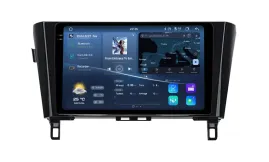

| Operationssystem: | Android 14 |
| Anzeige: | 10.4 inches QLED 2.5D |
| Auflösung: | 2K (2000x1200 px) / HD (1280x720 px) |
| Prozessor: | 2.7 GHz Octa-core (UIS7870CS) |
| RAM + SSD: | 4+64 / 6+128 / 8+128 / 8+256 / 12+256 Gb |
| Auto Link: | Drahtlos Apple CarPlay Android Auto |
| Geschenk: | DVR mit ADAS / TPMS / HD-Rückfahrkamera |
| Operationssystem: | Android 14 |
| Anzeige: | 10.4 inches QLED 2.5D |
| Auflösung: | 2K (2000x1200 px) / HD (1280x720 px) |
| Prozessor: | 2.7 GHz Octa-core (UIS7870CS) |
| RAM + SSD: | 4+64 / 6+128 / 8+128 / 8+256 / 12+256 Gb |
| Auto Link: | Drahtlos Apple CarPlay Android Auto |
| Geschenk: | DVR mit ADAS / TPMS / HD-Rückfahrkamera |

| Operationssystem: | Android 13 |
| Anzeige: | 12.3 Zoll QLED 2.5D |
| Auflösung: | Full HD Ultrabreit (1920x720 px) |
| Prozessor: | 2.0 GHz Octa-core (UIS7862S FYT) |
| RAM + SSD: | 2+32 / 4+64 / 6+128 / 8+128 / 8+256 Gb |
| Auto Link: | Drahtlos Apple CarPlay Android Auto |
| Geschenk: | DVR mit ADAS / TPMS / HD-Rückfahrkamera |

| Operationssystem: | Android 13 |
| Anzeige: | 12.3 Zoll QLED 2.5D |
| Auflösung: | Full HD Ultrabreit (1920x720 px) |
| Prozessor: | 2.0 GHz Octa-core (UIS7862S FYT) |
| RAM + SSD: | 2+32 / 4+64 / 6+128 / 8+128 / 8+256 Gb |
| Auto Link: | Drahtlos Apple CarPlay Android Auto |
| Geschenk: | DVR mit ADAS / TPMS / HD-Rückfahrkamera |

| Operationssystem: | Android 13 |
| Anzeige: | 8 Zoll IPS |
| Auflösung: | HD (1024х600 px) |
| Prozessor: | 2.0 / 1,6 Ghz Octa-Core (UIS7862 / 8581A) |
| RAM + SSD: | 2+32 / 4+64 / 8+128 Gb |
| Auto Link: | Drahtlos Apple CarPlay Android Auto |
| Geschenk: | DVR mit ADAS / TPMS / HD-Rückfahrkamera |
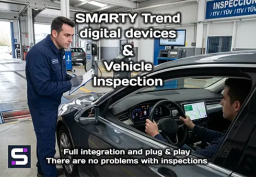
Beeinflusst ein Android Radio oder Digital Cockpit die TÜV-Prüfung?
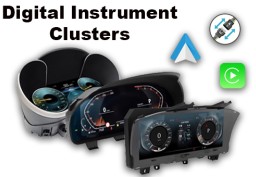
Digitale Kombiinstrumente von SMARTY Trend: Das ultimative Virtual...

Соnect & Konfigurieren von Lenkradtasten am SMARTY Trend...

Android Head Unit vs. Werksradio: Lohnt sich das Upgrade im Jahr 2026?

Die besten Android Head Units 2026: Der ultimative Ratgeber für das...


Nissan Qashqai J11 2016 installiertes Android-Hauptgerät
 DE
DE EN
EN
 ES
ES
 FR
FR
 IT
IT
 NL
NL
 PL
PL
 PT
PT
 RU
RU