


Android Head Unit for BMW 3 Series F30/F31, M3 F80 (2011–2021): Complete Buyer's and Installation Guide
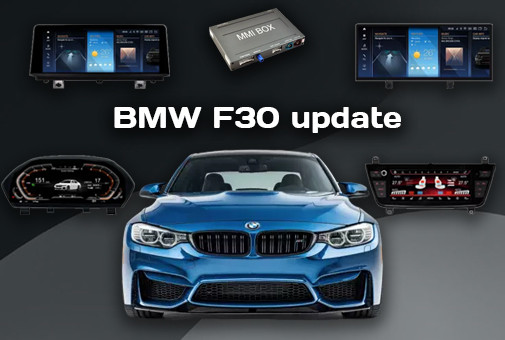
Discover how to upgrade your BMW 3 Series F30/F31 or M3 F80 multimedia system with a modern Android head unit. Learn everything about compatibility with CIC, NBT, and NBT EVO, as well as seamless installation.
Android Head Unit for BMW 3 Series F30/F31, M3 F80 (2011–2021): Complete Selection and Installation Guide
BMW 3 Series models in F30 (Sedan), F31 (Touring), F34 (Gran Turismo), and the performance M3 F80 versions have earned iconic status thanks to their handling and design. However, their factory infotainment systems (CIC, NBT, NBT EVO), which felt cutting-edge in 2013, now lag significantly behind modern smartphones: slow navigation, costly map updates, lack of wireless Apple CarPlay / Android Auto, and no support for video streaming (YouTube, Netflix).
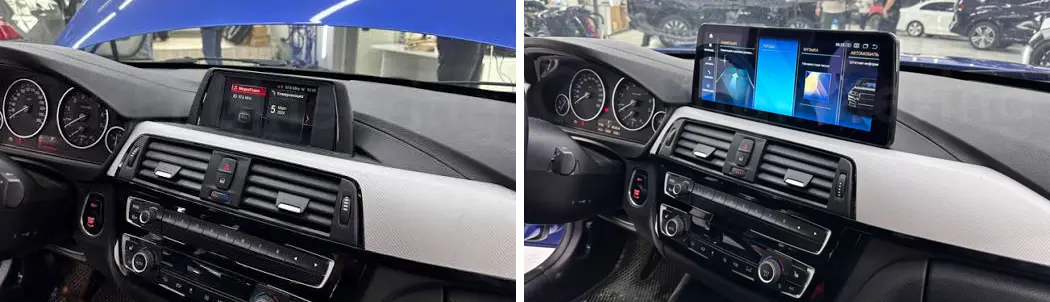
Installing a modern SMARTY Trend Android Head Unit is the best solution to upgrade your BMW F30/F31/F80 interior while retaining all factory functions.
If you've already read our article on upgrading the BMW 5 Series (E60, F10, G30), the working principles of NBT and NBT EVO are explained there in detail. Here we cover specifics unique to the 3 Series.
1. Identifying Your Factory BMW System (CIC, NBT, NBT EVO, S663)
The key step before purchasing an Android screen is correctly identifying the generation of your original iDrive system. This determines the LVDS video connector type that plugs into the head unit.
| System | Model Years | LVDS Connector | iDrive UI Features |
|---|---|---|---|
| CIC / Move | 2011 – 2012 / 2013 | 4-Pin LVDS | 4-item horizontal list menu |
| NBT / EntryNav | 2012/2013 – 2015/2016 | 6-Pin LVDS | Red-and-black menu with orange highlighted elements |
| NBT EVO (ID4 / ID5 / ID6) | 2016 – 2020+ | 6-Pin LVDS (Evo Voltage) | Tile interface (ID5/ID6 tiles) with live preview |
| S663 / Entry (No Screen) | 2011 – 2018 | Direct to Head Unit | Monochrome display or no screen in dash |
2. SMARTY Trend Product Line for BMW F30 / F31 / M3 F80
The catalog offers several form factors of multimedia systems and additional hardware:
| Model | Screen Size | Series | Features & Specifications |
|---|---|---|---|
| Wireless CarPlay & Android Auto Box | OEM Screen | Premium | Add-on for original OEM screen. |
| Wide Screen | 10.25" | Wide | Widescreen IPS panel. Perfect balance of size and visibility. |
| Wide Ultra-Premium | 12.3" | Ultra-Premium | Maximum resolution, anti-glare Blu-ray coating, top-tier hardware specs. |
| Touch Climate Control Panel | 8.8" | Climate Unit | Replaces OEM climate panel with a digital IPS touch screen. Fully compatible with head unit. |
- Processor Platform: Octa-Core Qualcomm Snapdragon chipsets (up to 8 GB RAM / 256 GB ROM).
- BMW System Retention: iDrive controller, steering wheel controls, parking sensors, factory camera, and trip computer work seamlessly.
- Wireless Connectivity: CarPlay and Android Auto are active out of the box in all series (10.25", 12.3"). Options available for LHD (Left-Hand Drive) and RHD (Right-Hand Drive).
3. Step-by-Step Installation Guide
Installation is completely Plug-and-Play without cutting factory wires. You will need plastic pry tools, Torx T20 screwdrivers, and a Phillips screwdriver. Time required: 30–60 minutes.
- Disconnect the Battery:
Mandatory step before handling car electronics to prevent CAN-bus fault codes. - Dismantle the Center Console:
Use plastic pry tools to unclip the central air vent panel containing the hazard light button. Remove the climate control panel and unscrew the original NBT/EVO screen mounting screws. - Connect Main Quadlock Harness:
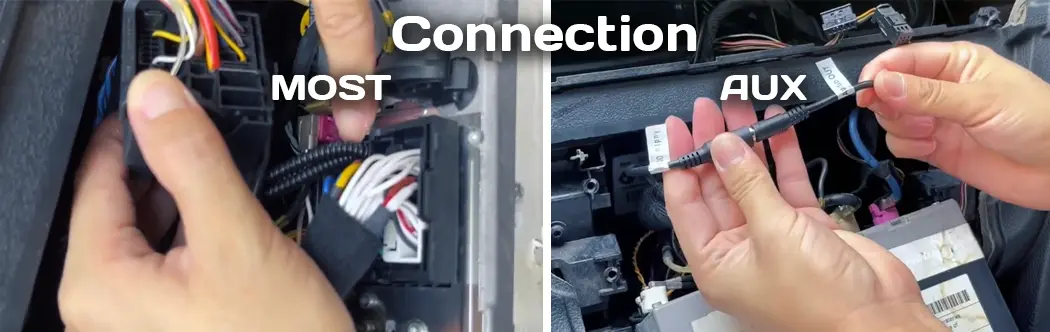
Unplug the factory harness from the head unit and connect it to the SMARTY Trend adapter harness. - CRITICAL STEP – Optical Cables (MOST):
Warning! If the original Quadlock connector includes two green (or green-black) optical fiber cables for the MOST bus, gently transfer them from the original connector to the corresponding slot on the new adapter harness! Skipping this step results in no audio and disables factory amplifiers / Harman Kardon systems.
- Install CANBUS Decoder & Antennas:
Place the provided CANBUS module behind the head unit. Route the GPS and 4G antennas under the windshield (top dash area), away from metal shielding. - Reassembly & Testing:
Mount the new SMARTY Trend screen, secure the screws, reconnect the battery terminal, and test iDrive knob functionality, climate controls, steering wheel buttons, and backup camera.
Note: If you are installing an optional 8.8" Touch Climate Panel, it hooks up via an inline pass-through adapter directly to the factory climate harness.
4. AUX Audio Setup Instructions
Audio Output Configuration:
Audio playback from the Android OS is routed into your BMW’s factory sound system via the AUX channel.
- Vehicles with Physical AUX Port: Go to the OEM iDrive menu and select External devices -> AUX. If audio does not switch automatically, connect the Android unit's AUX output to the armrest port using the included audio cable.
- NBT EVO Models without Physical AUX: The kit includes a SMARTY Trend USB-AUX digital audio converter, streaming sound to the OEM head unit over USB.
5. Frequently Asked Questions (FAQ)
Q: Will I retain my original iDrive menu and factory BMW features?
Yes, your factory iDrive head unit and menu are 100% retained. The Android display works in dual-system mode: switching allows you to view the original BMW UI with all vehicle settings, parking sensors, and service info, while touching the screen or pressing iDrive controls switches back to Android OS.
Q: Why is there no sound after installing the Android screen on my BMW F30?
The most common reason is forgetting to transfer the 2-pin green (or green-black) optical fiber MOST cable from the original Quadlock connector to the new SMARTY Trend adapter. Also, confirm that AUX is selected as the audio source in the original iDrive menu.
Q: What if my car has a basic radio without a screen from the factory (S663 / Entry option)?
For S663/Entry trim levels without a factory monitor, the wiring and head unit are located inside the dash. SMARTY Trend provides specialized Android packages with custom brackets and integrated decoders that connect Pin-to-Pin to the OEM unit connector.
Q: Do steering wheel controls and the iDrive controller work with Android?
Yes, thanks to the integrated CAN-bus decoder, steering wheel buttons (volume, track skip, call pickup) and the iDrive knob fully operate both in OEM mode and Android OS.
Q: Will a unit for BMW G30 fit my F30 model?
No. Although NBT/EVO electronic architectures are similar, dash mountings and connector pins differ between 3 Series and 5 Series. Units engineered for F30/F31/M3 F80 are dedicated specifically to this chassis platform.
Find the Perfect Android System for Your BMW at SMARTY Trend
Need engineering assistance choosing the right unit for your VIN? Contact SMARTY Trend specialists today!
Browse BMW 3 Series Android Head Units Catalog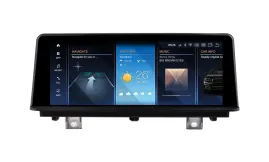

| Operation system: | Android 13 |
| Display: | 10.25 inches IPS |
| Resolution: | Full HD Ultra-wide (1920x720 px) |
| Processor: | 2.8 GHz Octa-Core (Snapdragon 662/685) |
| RAM + SSD: | 4+64 / 8+128 / 8+256 Gb |
| Car link: | Wireless Apple CarPlay & Android Auto |
| Free gift: | DVR with ADAS / TPMS / HD Rear Camera |

| Operation system: | Android 13 |
| Display: | 12.3 inches IPS (Ultra-slim design) |
| Resolution: | Full HD Ultra-wide (1920x720 px) |
| Processor: | 2.8 GHz Octa-Core (Snapdragon 662/685) |
| RAM + SSD: | 4+64 / 8+128 / 8+256 Gb |
| Car link: | Wireless Apple CarPlay & Android Auto |
| Free gift: | DVR with ADAS / TPMS / HD Rear Camera |
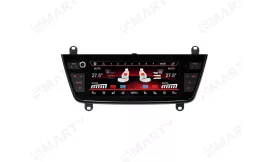
| Display: | 8.8 inches IPS |
| Resolution: | HD (1280х720 px) |
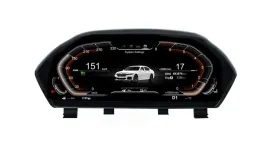
| Operation system: | Linux |
| Display: | 12.3 inches IPS |
| Resolution: | Full HD Ultra-wide (1920x720 px) |
| Processor: | 1.5 GHz Quad-Core (T507) |
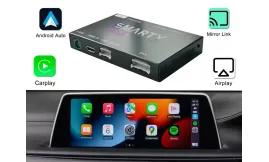
| Operation system: | Linux |
| Display: | OEM screen support |
| Resolution: | Matches OEM screen resolution |
| Car link: | Wireless Apple CarPlay & Android Auto |
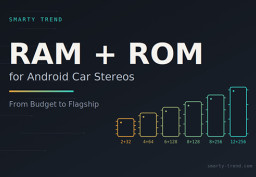
How to Choose RAM and ROM for an Android Car Stereo: 4+64, 6+128,...

Best Android Head Unit for BMW: Upgrade Your E60, F10, or G30 to a...

Smarty Trend: Best Android Head Unit with CarPlay & Android Auto

Android Head Unit vs. Factory Radio: Is It Worth Upgrading in 2026?

Best Android Head Units 2026: Top Car Stereo Upgrade Guide
 EN
EN DE
DE
 ES
ES
 FR
FR
 IT
IT
 NL
NL
 PL
PL
 PT
PT
 RU
RU