



¿La pantalla разряжает (descarga) la batería del coche? Guía paso a paso: cómo encontrar la causa y solucionar la fuga
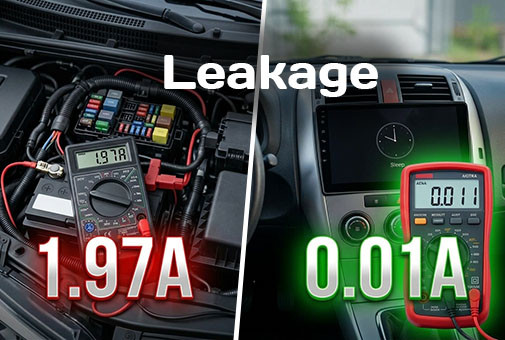
¿La pantalla Android descarga la batería del coche? Descubra cómo medir correctamente la fuga de corriente con un multímetro y encontrar la causa de la descarga: desde errores de conexión en ACC y bus CAN hasta fallos del sistema en segundo plano. Guía de solución paso a paso elaborada por expertos.
Cómo comprobar si la pantalla Android tiene fugas de corriente y preservar la batería: Guía experta
Respuesta rápida
Una pantalla Android instalada correctamente no debe descargar la batería. Tras "dormirse", el vehículo en total consume aproximadamente entre 20 y 50 mA, y la pantalla en modo de suspensión profunda añade solo una pequeña parte de esta corriente. La descarga ocurre si el dispositivo no entra en suspensión profunda, está conectado a un positivo constante de +12V en lugar de ACC, o si tiene accesorios "siempre despiertos" conectados, como una cámara de salpicadero con modo de aparcamiento. Puedes comprobar esto en 10 minutos con un multímetro, y hay una solución para cada causa descrita a continuación.
¿Qué corriente de fuga es normal para un coche aparcado?
En los coches modernos, algunos módulos siempre permanecen activos (alarma, acceso sin llave, telemática). Cuando todas las unidades de control se han dormido, se considera saludable un consumo inferior a unos 50 mA. Muchos coches necesitan entre 15 y 45 minutos tras el cierre para alcanzar este nivel, por lo que medir justo después de cerrar la puerta siempre arrojará un valor falsamente elevado.
| Corriente de fuga | Qué significa | Tiempo aproximado hasta que la batería se agota y el coche no arranca* |
|---|---|---|
| 20-50 mA | Normal | 3-4 semanas o más |
| 100-200 mA | Vale la pena revisar | aprox. 1-2 semanas |
| 300-500 mA | Algo no duerme | aprox. 2-4 días |
| 1 A y más | Fallo o conexión incorrecta | aprox. 1 día |
*Cálculo ilustrativo para una batería de 60 Ah que utiliza aproximadamente el 50% de su capacidad antes de que el arranque sea poco fiable. Las cifras reales dependen de la edad de la batería, la temperatura y su capacidad.
¿Cuánto consume una pantalla Android en diferentes modos?
Una pantalla Android tiene tres estados, y el quid de la cuestión radica precisamente en la diferencia entre ellos:
- Funcionamiento (contacto o ACC encendidos). Varios amperios en picos; el consumo se produce mientras el motor o ACC están activos. Esto es normal.
- Espera o inicio rápido (fast boot). El procesador permanece parcialmente activo y el dispositivo arranca en pocos segundos. Es cómodo, pero el consumo es notablemente mayor, y este modo es el que más frecuentemente causa quejas si el coche se queda parado varios días.
- Suspensión profunda (deep sleep). El sistema está apagado; solo el circuito de reactivación escucha la señal del vehículo. El consumo es pequeño: normalmente desde unos pocos miliamperios hasta unas pocas decenas de miliamperios según el modelo.
Valores medidos de SMARTY Trend:
¿Qué causa la descarga de la batería con una pantalla Android?
¿Por qué la pantalla no entra en suspensión?
El dispositivo permanece activo si sigue recibiendo señal ACC o CAN, si una aplicación mantiene un bloqueo de activación (wake lock) o si el modo de inicio rápido está habilitado. La navegación, la música o una sesión de duplicación del teléfono dejadas activas también pueden retrasar la suspensión.
¿Puede una conexión incorrecta descargar la batería?
Sí. Si el cable ACC del arnés está conectado a +12V constante (o el adaptador plug-and-play no coincide con el coche), el dispositivo asume que el encendido está siempre activado. Antes de la instalación, asegúrate de que el arnés coincida exactamente con tu modelo y año de fabricación.
¿Aumentan el consumo el módem 4G y el GPS?
Sí. Un módulo de internet móvil activo, un punto de acceso (hotspot) o el seguimiento GPS constante aumentan la corriente en reposo. Si no necesitas estas funciones al estacionar, desactívalas en modo de suspensión.
¿Influyen los accesorios?
Sí. Una cámara de salpicadero en modo de aparcamiento continuo 24/7, un receptor TPMS, un adaptador de cámara trasera o un amplificador conectado a alimentación constante añaden su propio consumo. Mide la corriente con y sin accesorios para encontrar al culpable.
¿Podría estar la causa en el coche y no en la pantalla?
A menudo es así. Una batería vieja o débil, un diodo del alternador defectuoso, una luz de maletero o guantera que no se apaga y una alarma de terceros pueden provocar fugas. Por lo tanto, mide primero y busca al culpable solo después.
Cómo medir la corriente de fuga (paso a paso)
- Prepárate. Cierra todas las puertas, apaga las luces y accesorios, y retira la llave del habitáculo. Mantén la llave a varios metros de distancia para que los sistemas de acceso sin llave no se despierten.
- Cambia el multímetro al modo de corriente continua (DC) en el rango de 10 A y coloca la sonda roja en el conector de 10 A. Nunca empieces a medir con el conector de mA: el pico de arranque fundirá su fusible al instante.
- Desconecta el borne negativo de la batería y conecta el multímetro en serie entre el borne y el polo negativo.
- Espera a que el coche se duerma. Normalmente de 30 a 45 minutos. No abras puertas ni pulses botones, o el temporizador se reiniciará.
- Lee el valor. Por debajo de aprox. 50 mA es normal. Más alto significa que algo no está durmiendo.
- Encuentra la causa. Desconecta el conector de alimentación de la pantalla y observa las lecturas. Si la corriente cae bruscamente, la fuente es la pantalla (o su cableado). Si no, busca en otra parte.
- Repite la medición desconectando secuencialmente la cámara de salpicadero, los adaptadores y otros accesorios.
Si te resulta incómodo trabajar directamente en el borne de la batería, cualquier electricista de automóviles puede realizar esta prueba en pocos minutos.
6 soluciones que funcionan en la mayoría de los casos
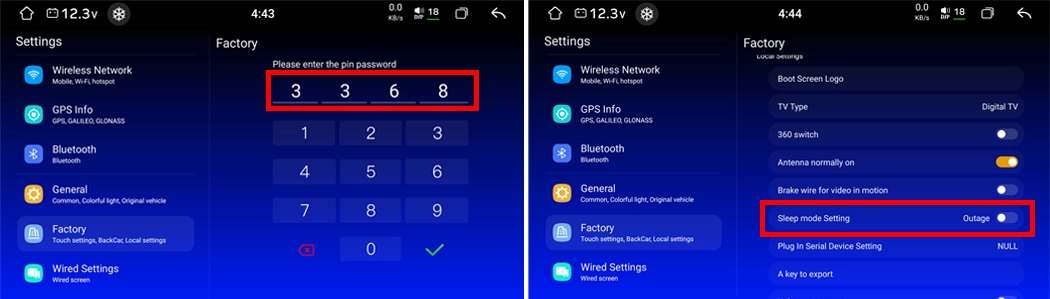
- Desactiva la función de modo de suspensión / inicio rápido (fast boot, quick start) en los ajustes del dispositivo. Los nombres de los elementos del menú dependen de la versión de firmware, así que consulta el manual de tu modelo.
- Comprueba el arnés de cables. Asegúrate de que el cable ACC esté conectado a una alimentación conmutada y el +12V constante a una fuente permanente correcta.
- Desactiva el internet móvil, el punto de acceso y la navegación en segundo plano antes de cerrar el coche.
- Configura un temporizador de suspensión (por ejemplo, suspensión profunda tras 10-30 minutos) si tu dispositivo lo admite.
- Conecta la cámara de salpicadero mediante un kit de cableado con corte de tensión para que la grabación se detenga antes de que la batería se descargue profundamente.
- Reemplaza una batería débil. Una batería de más de 4-5 años puede no retener la carga incluso con una corriente de fuga normal.
Si el coche pasa mucho tiempo parado
Si el vehículo va a estar aparcado varias semanas (aparcamiento del aeropuerto, uso estacional), desconecta la batería o utiliza un cargador de mantenimiento, independientemente del sistema multimedia que lleve instalado.
Preguntas frecuentes
¿Descargará la pantalla Android la batería durante la noche?
No, si está conectada correctamente y entra en suspensión profunda. Una instalación estándar añade solo una fracción mínima a la corriente de fuga del coche estacionado.
¿Cuántos miliamperios debe consumir una pantalla Android en modo de suspensión?
Espere desde unos pocos miliamperios hasta varias decenas de miliamperios. El coche en su conjunto, tras dormirse por completo, debe mantenerse por debajo de aprox. 50 mA. Los valores medidos para los dispositivos SMARTY Trend se encuentran en la tabla anterior.
¿Consume batería el modo de inicio rápido?
Sí. El inicio rápido mantiene el sistema parcialmente activo, por lo que el consumo es mayor que en la suspensión profunda. Si el coche va a estar parado varios días, utilice la suspensión profunda.
¿Cuánto tiempo debe "dormir" el coche antes de medir la fuga?
Normalmente entre 15 y 45 minutos después del cierre, dependiendo del modelo de coche. Una medición más temprana dará un resultado falsamente elevado.
¿Puedo dejar la pantalla conectada si voy a aparcar el coche durante un mes?
Es más seguro desconectar la batería o utilizar un cargador de mantenimiento. Esto se aplica a cualquier coche, lleve o no una pantalla multimedia de otro fabricante.
¿Anula la garantía del vehículo la instalación de una pantalla Android?
En muchas jurisdicciones, un componente de postventa por sí solo no puede anular toda la garantía, pero un fallo causado por este podría no estar cubierto. Más información en nuestra guía: ¿Anula la garantía del coche la instalación de una pantalla Android?
Lea también
- Actualización sin pérdidas: Cómo instalar una pantalla Android y conservar el 100% de las funciones de fábrica
- Guía de procesadores de pantallas Android 2026: Comparativa completa Snapdragon vs UIS
- Guía para integrar cámaras de visión trasera y sistemas de 360° con pantallas Android modernas
- Pantallas Android SMARTY Trend por marca de coche
¿Necesitas ayuda para elegir un dispositivo y arnés para tu coche? Contacta con el equipo de SMARTY Trend indicando el modelo y año de tu vehículo.
¿Se pierde la garantía del coche al instalar una pantalla Android?...
Principales errores al elegir y comprar una radio Android para...
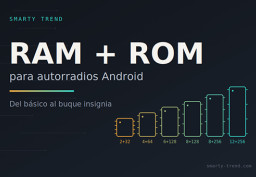
Cómo elegir la memoria RAM y ROM para una pantalla Android de...
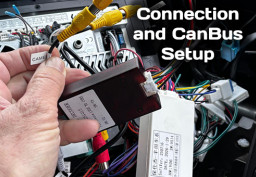
Cómo configurar CanBus en radio Android: Guía paso a paso

Cómo conectar pantallas Android a CAN-Bus sin errores de coche
 ES
ES DE
DE
 EN
EN
 FR
FR
 IT
IT
 NL
NL
 PL
PL
 PT
PT
 RU
RU