



Will an Android Head Unit Fit Your Car? Complete DIN Size, Dash Kit & CANBUS Compatibility Guide (2026)
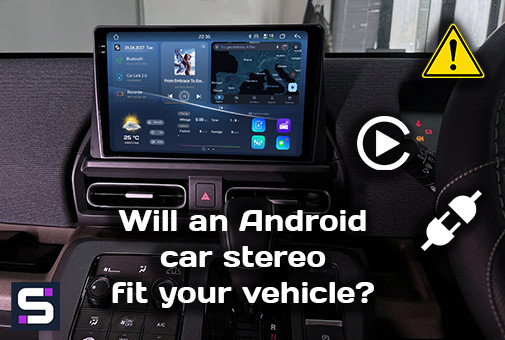
A practical guide from SMARTY Trend installation engineers: how to check Android head unit compatibility with your car in 10 minutes. Learn about DIN sizes, dash depth, CANBUS modules, and retaining factory features.
Will an Android Head Unit Fit Your Car? Complete Compatibility Guide (2026)
Every week, our installation team receives identical messages from customers who purchased an aftermarket head unit: "It doesn't fit," "The climate control stopped working," or "The steering wheel buttons don't work." In almost all cases, the device itself was fully functional - the issue was an incorrect DIN size, mismatched mounting depth, or installation without a CAN-BUS module (incorrect adapter selection) required for that specific vehicle.
We wrote this guide to protect you from mistakes before purchasing - checking everything takes just 10 minutes.
Why "Fits Your Model" Labels Are Often Not Enough
Sellers on marketplaces often list only the vehicle make and model year. That is merely a starting point, not a guarantee. Two Toyota Camry vehicles of the exact same model year with different trim levels may have completely different factory frames, distinct steering wheel control protocols, or an OEM amplifier that changes the entire wiring setup.
Compatibility consists of three independent levels. If sellers account for only one, you risk receiving a unit that either physically won't fit into the dashboard or fits but disrupts half of the vehicle's systems.
The three levels of compatibility in the order our specialists check them:
- Physical compatibility: Whether the chassis and screen fit into the dash opening by width, height, and allowable depth. You need to specify the year of manufacture, model name, and send a photo of the center console.
- Electrical compatibility: Whether the wiring harness matches the factory plug and whether the CAN-BUS module correctly decodes the vehicle's digital bus data.
- Functional compatibility: Whether climate control display, steering wheel controls, factory parking sensors, 360-degree cameras, and the OEM backup camera remain functional after installation.
SMARTY Trend Installers' Insight: Most "head unit does not fit" complaints are actually failures at Levels 2 or 3. Physically, the device sits in the dash kit, but the electronics behind the panel fail to communicate with the vehicle.
Level 1: DIN Size and Physical Fitment into the Dashboard
DIN (Deutsches Institut für Normung) is the international standard (ISO 10487) defining the dimensions of the installation cavity for car radios.
| Format | Approx. Dimensions (W × H) | Typical Vehicles |
|---|---|---|
| Single-DIN (1DIN) | 178 × 50 mm (7″ × 2″) | Older trucks, classic and budget vehicles prior to 2005 |
| Double-DIN (2DIN) | 178 × 100 mm (7″ × 4″) | Most vehicles manufactured prior to 2010 |
| Tesla-style / Vertical | Varies, often 220–280 mm in height | Modern Ford, Toyota, Volkswagen models and other brands with vertical screens (see our Tesla-style installation guide for Ford Edge) |
| Factory (OEM-shaped) | Custom per brand/model | Mercedes-Benz, BMW, Audi, etc., with wide screens - require a specialized fascia frame |
How to check physical compatibility in 5 minutes:
- Study the dash removal diagram: Find a radio removal guide specifically for your trim and model year (search query:
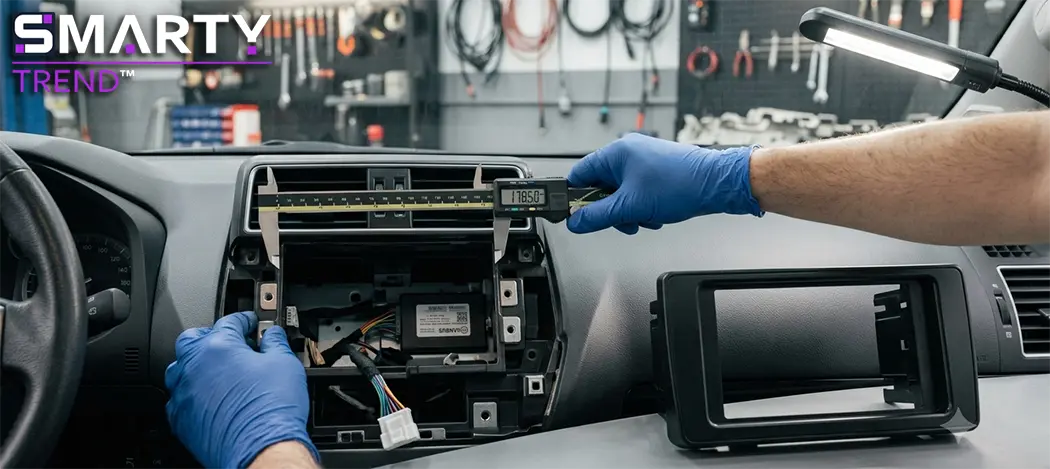
[car model] [year] radio removal). - Measure the cavity depth: Measure the distance from the front fascia to the back wall of the cavity if you have doubts. This is a parameter many overlook: if the head unit is 2–3 cm deeper than standard, it will press against HVAC ducts or factory wiring harnesses.
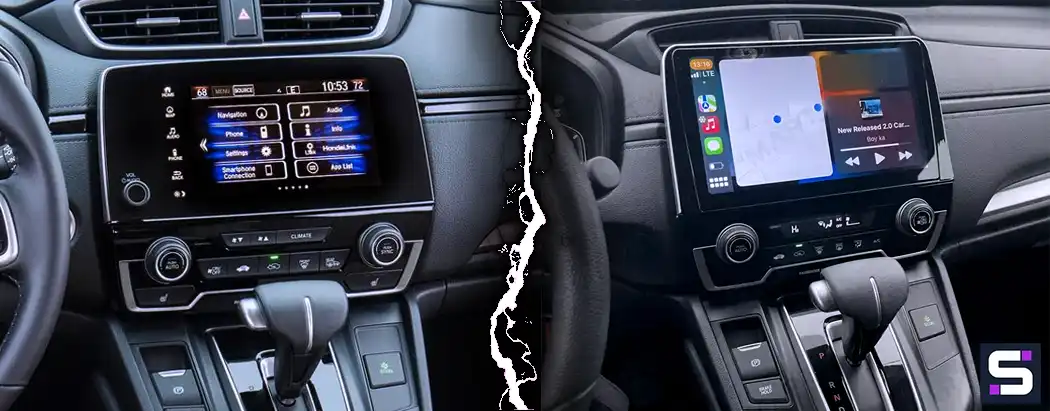
- Premium brand specifics: If the vehicle features a factory widescreen display (common on 2014+ Mercedes, BMW, Audi), you will need a specialized housing tailored to that specific screen, rather than a universal 2DIN kit. Before ordering, check our compatibility pages for specific car brands.
- Verify the need for a Dash Kit: Most vehicles require a separate plastic adapter frame, which will be included in the kit. This is standard practice when replacing a head unit.
Level 2: CAN-BUS - The Module Behind All Failures
This is where up to 90% of compatibility issues originate.
In modern vehicles, climate control signals, steering wheel button presses, parking sensor data, and temperature readings are transmitted via the digital CAN (Controller Area Network) bus rather than analog wires. A basic ISO adapter only supplies power and audio to the speakers - it does not "understand" digital bus data.
The CAN-BUS module (CAN decoder) connects between the vehicle's factory wiring and the new Android head unit. Its role is to decode the manufacturer's digital protocol and translate it into commands understood by the head unit:
- Steering wheel button inputs are translated into volume and track controls.
- Climate control status is displayed on the head unit screen.
- Reverse gear signals activate the camera and parking sensors.
Symptoms of a missing or incorrect CANBUS module:
- Steering wheel buttons do not respond or trigger incorrect functions.
- Climate control operation is not displayed on the screen.
- Factory parking sensors are disabled or the backup camera does not turn on.
- Electrical error warnings appear on the instrument cluster.
Important: CAN-bus protocols vary even within the same model generation. A CAN-BUS module meant for a Golf Mk7 (2015–2018) will not function correctly on the facelifted Mk7.5, even though visually it appears to be the "same Golf." We describe the connection logic in detail in our error-free CAN-Bus connection guide, and every model-specific installation guide (for instance, our installation guide for Toyota C-HR) specifies the exact CANBUS version required.
Expert Note: If your vehicle is equipped with a factory premium audio system (JBL, Bose, Harman Kardon, Burmester), ensure the CANBUS decoder supports digital amplifier turn-on or an optical adapter (MOST).
Level 3: Wired vs. Wireless CarPlay / Android Auto
Choosing the connection type does not affect the physical fitment of the radio, but it defines daily user comfort:
- Wired connection: Delivers maximum signal stability without interference while charging the smartphone simultaneously. Ideal for long trips.
- Wireless connection: Convenient for daily short city commutes (phone stays in pocket), but drains phone battery faster and relies on Wi-Fi/Bluetooth stability on the phone itself. We review this feature by feature in our dedicated CarPlay vs. Android Auto comparison.
Pre-Purchase Checklist (5 Key Steps)
- Measure dashboard cavity and depth if necessary, taking into account the exact model year and trim of your car.
- Check for dash kit availability matching your chosen screen diagonal (9″, 10″, or custom size).
- Verify CAN-bus presence in your vehicle (decode the VIN if needed, as automakers alter protocols during mid-cycle refresh/facelifts).
- List factory features you wish to retain (climate control, steering wheel controls, OEM camera, parking sensors, factory amplifier) and confirm that the selected CAN-BUS module supports them.
- Determine your preferred CarPlay/Android Auto mode (wired or wireless) and ensure native head unit support.
Frequently Asked Questions (FAQ)
1. Does every Android head unit require a CANBUS module?
If your car has at least one feature integrated into the factory radio (steering wheel controls, climate display, parking sensors, trip computer), yes, CAN-BUS is mandatory. Basic cars completely lacking digital buses (typically pre-2010) can operate using a standard ISO adapter.
2. Can I install a 2DIN head unit if my car came with a 1DIN radio?
Yes, but only with a dedicated dash kit adapter and provided there is sufficient internal depth and mounting space inside the dashboard.
3. Will a universal CAN-BUS module labeled "For [Brand] vehicles" work?
No, do not rely on universal compatibility. CAN-bus protocols are tied to specific generations and model years, not just the brand logo.
4. Does installing an Android head unit affect vehicle warranty or inspection (MOT)?
When using factory-style Plug-and-Play harnesses without wire splicing or damage to OEM wiring, electrical warranty remains intact. We address legal and technical inspection aspects thoroughly in our MOT inspection and digital dashboards guide.
5. What is the most common reason a "compatible" head unit fails to work correctly?
An error when selecting the CANBUS module version or firmware for a specific vehicle modification. In 90% of cases, the unit fits physically perfectly, but steering wheel controls or climate display are lost due to an incorrect decoder module.
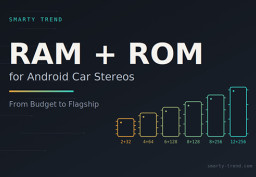
How to Choose RAM and ROM for an Android Car Stereo: 4+64, 6+128,...
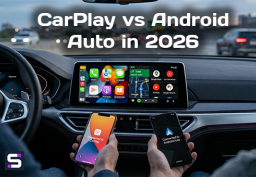
CarPlay vs Android Auto in 2026: Which One to Choose For Your Phone...

Android Head Unit Processors Guide 2026: Snapdragon vs. UIS Full...

How to Connect and Configure Steering Wheel Buttons on a SMARTY...

Best Android Head Units 2026: Top Car Stereo Upgrade Guide
 EN
EN DE
DE
 ES
ES
 FR
FR
 IT
IT
 NL
NL
 PL
PL
 PT
PT
 RU
RU